Hi, my name is Isabella. Today I will explain how to use Max Bulk Mailer to send bulk emails. Bulk email is a term used to describe the process of sending emails to a large number of recipients. Bulk email can be used for a variety of purposes, such as marketing or announcements. If you have a large list of contacts that you want to email all at once, the best way to do it is to use an email marketing software like Max Bulk Mailer. MaxBulk Mailer allows you to upload your entire contact list and then send out mass emails to all of them at once and for free. MaxBulk Mailer is a great tool for businesses and individuals who need to send out large volumes of emails on a regular basis. It's easy to use and can save you a lot of time when sending large numbers of emails. Here's how to use MaxBulk Mailer to send bulk emails. First, create a list of all the email addresses you want to send your email. You can do this by manually entering them into a list or by importing them from a file or database. Next, write your message in MaxBulk Mailer. You can use the built in editor to create your message, or you can import your message from a file. Preview your message to make sure everything is okay and looks as expected. When you are ready, click on the send button to send your email. That's it. MaxBulk Mailer will take care of the rest, sending your email to all the addresses on your list. Tony, let us know about the advantages of MaxBulk Mailer. Isabella, there are a lot of different email marketing software programs out there. So, how do you know if MaxBulk Mailer is the right one for you? In this video, we'll go over some of the advantages of using MaxBulk Mailer. MaxBulk Mailer is very user friendly and easy to use, even if you're not a tech savvy person. It's great for sending out large numbers of emails, bulk emailing. MaxBulk Mailer offers a lot of features and is updated regularly. It's relatively affordable compared to other email marketing software programs. MaxBulk Mailer has a built in contact management system, so you'll not need to use a separate program for that. Lots of free tutorial videos are available on the Maxprog website. New ones are added regularly. Fast and free support is offered directly by the software developers. These are, in my opinion, the key features of MaxBulk Mailer. With MaxBulk Mailer you can: Create as many segmented lists as you need, locals or remotes, and let MaxBulk Mailer checks for duplicates. Send bulk emails to thousands with a mouse click, including to several lists at once. Customize the message content with your recipient data. MaxBulk Mailer includes dozens of tags you can use to insert data anywhere in your message, including the message subject, body, signature, and even into email headers. Get delivery statistics and check your recipients' behavior by tracking email opens and click through. Schedule, delay, and stagger email deliveries very easily. You can always set MaxBulk Mailer to match your email server's daily or hourly delivery threshold. Use free email templates from the internet. You can import or create new templates. MaxBulk Mailer fully supports HTML templates. Insert online images and add attachments to your emails. MaxBulk Mailer even supports customized images and attachments. Thanks Tony. Bulk email can be a great way to stay in touch with a large number of people at once. It can also be a great way to save time and money on your marketing efforts. Here are some of the benefits. You can reach a large number of people with one email. It is often cheaper than other forms of marketing. You can track the results of your email campaigns to see how many people opened and clicked on the links in your email. This information can help you improve your future campaigns. It allows you to personalize your messages to each recipient. This can help improve the response rate to your emails. In conclusion, sending bulk emails can be a great way to reach a large audience with your message. However, it's important to use the right software like MaxBulk Mailer to ensure that your messages are delivered successfully and without any problems. With MaxBulk Mailer, you can easily send large quantities of emails without having to worry about any deliverability issues. So if you need to reach a lot of people with your message, give MaxBulk Mailer a try. I hope you enjoyed this video. Feel free to subscribe to our channel by clicking on the subscribe button below. Please visit our website at maxprog.com. See you in the next video. Have a great day.
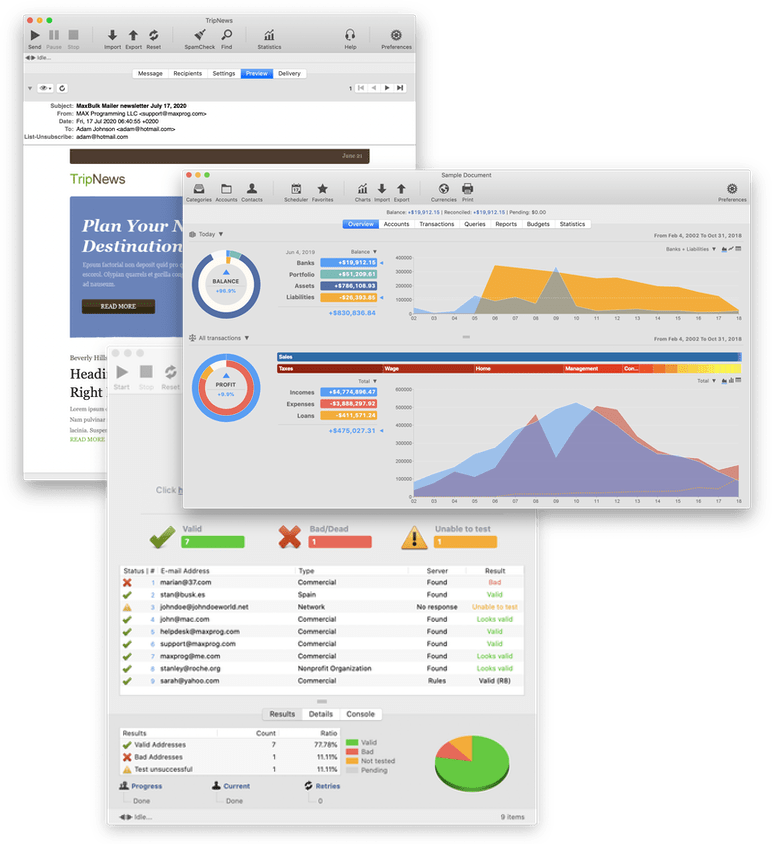
MaxBulk Mailer is our powerful and user-friendly bulk email software that allows you to send out customized press releases, prices lists and any kind of text or HTML documents to your customers.
MaxBulk Mailer is very fast, fully customizable and easy-to-use.
iCash is a personal finance software intended to control your finance keeping track of incomes, expenses, credits, debts and Banks transactions for you. No needs to know about accounting!
As simple as creating accounts and move money between them!
Full featured demos of Maxprog products are available via the company's web site and users are encouraged to try programs before they purchase them. See More
Maxprog designs, develops and markets a wide range of software solutions for macOS and MS Windows providing superior unlimited customer support and service worldwide.
Have a look at our online catalogue of desktop applications and scripts. Feel free to download and try our software!
All Maxprog products are downloadable from this web site and are "try before buy".
FTP Disk is a powerful FTP client software that allows you to connect to FTP servers, navigate thru directories, create files and folders, download and upload files, modify text files with its built-in editor, preview pictures, change permissions. See more
Preview field to set a message preview on iPhone and modern mail readers.
New delivery status display added to the delivery panel.
New delivery status display added to the statistics window.
TLSv1.3 support has been added to SMTP, POP, and FTP sockets.
TLSv1.3 support has been added to the MLM installer.
It is now possible to insert pictures and videos in the signature field with the corresponding tags.
The whole MaxBulk Mailer document has been revised with controls redistributed.
The support button and support menu now show a hybrid openAI/human support chat.
The Window menu is now controlled by the operating system and offers all window-related functions.
The History menu has been moved to the 'Delivery' menu.
Fix: {Insert Image} tag no longer honors the alignment parameter.
The support button and support menu now show a hybrid OpenAI/human support chat.
The Window menu is now controlled by the operating system and offers all window-related functions.
Unix Mbox '.mbox' and '.mbx file format enhanced support.
Note on preference panel about the rules editor supporting wildcards.
The support button and support menu now show a hybrid openAI/human support chat.
The Window menu is now controlled by the operating system and offers all window-related functions.
Fix: Several user interface aesthetic and localization fixes.
TLS 1.3 support has been added.
You can now process several IMAP mailboxes at once.
The support button and support menu now show a hybrid OpenAI/human support chat.
The Window menu is now controlled by the operating system and offers all window-related functions.
Fix: Bounce counters show very high inaccuracy.
Fix: Exclusion list emails not adequately discarded.
Fix: DSN bounces not processed on given occasions.
Fix: Document rules defaults added when saving and re-opening a document.
The support button and support menu now show a hybrid openAI/human support chat.
The Window menu is now controlled by the operating system and offers all window-related functions.
Fix: Several user interface aesthetic fixes.