The first step using iCash will be likely to add new accounts or edit existing ones. To add a new account just select the Overview panel and use the buttons on the left side, right above the list. Select any given type or category from the list and press the "+" button to add your new account to it. To delete an account, select it from the list and press the "-" button. To edit an account just double-click on it or use the tool button Edit menu on the left of the "+" button.
 Adding accounts: Adding accounts:
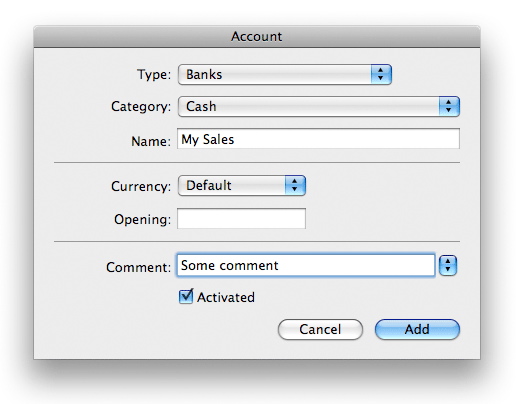
To add an account click on the the '+' button or select Account | Add Account from the main menu or from the contextual menu, select a type and a category, choose a name and optionally an opening Balance, a currency and add a comment. Name must be unique. Keep default currency if your account doesn't use any specific one. Category pull-down menu only shows selected type categories. Once you are finished hit the Add button.
Editing existing accounts:
To edit an account double-click it from the list or select it and choose the Account | Edit menu. Just change whatever you need and press the Save button. Remember, the account name must be unique.
Deleting accounts:
To delete an account select it from the list and click on the "-" button. An account used at least in one transaction is automatically locked so it can't be deleted until you remove all the transactions where it is used.
You can manage your accounts from the account manager, Account | Account Manager menu as well. You will be shown with the current account list and all the necessary controls to add, edit or delete them. You can choose which accounts you want to be displayed by type or category and which accounts should be displayed when adding transactions using the rightmost checkbox. Rightmost columns display the opening amount and the currency of each account.
|






 Maxprog ® by Stan Busk - © 2001-2026 Maxprog LLC. All Rights reserved