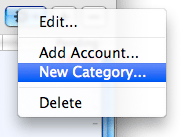
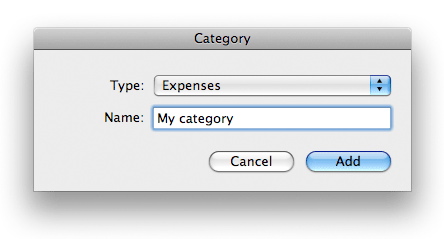
iCash lets you create as many categories as you wish to classify your accounts. Categories are actually sub-categories of types. Any account belongs to one only category and this category to one only type. When types are predefined and not editable categories are fully customizable. You can create categories from both the Overview panel using the Tool button or from the category manager. You just need to choose a name that has to be unique and a type.
 Adding categories: Adding categories:
To add a category select Category | New Category from the main menu or from the contextual menu, select the category type, choose a unique name and click on the Add button.
Editing existing categories:
To edit a category double-click it from the list or select it and choose the Category | Edit menu. Just change whatever you need and press the Save button. Remember, the category name must be unique.
Deleting categories:
To delete a category select it from the list and click on the "-" button. Note that a category used at least in one transaction is automatically locked so it can't be deleted until you remove all the transactions where it is used.
|



 Maxprog ® by Stan Busk - © 2001-2026 Maxprog LLC. All Rights reserved