
|
Hyperlink Manager - MaxBulk Mailer v7 User GuideBulk e-mail and mail-merge |

|

|
| 14.- Hyperlink Manager | |
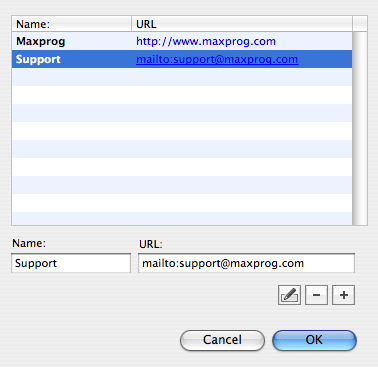
MaxBulk Mailer includes a very simple way to store all your hyperlinks, the Hyperlink Manager.
Using the Hyperlink Manager you can insert hyperlink tags into your message using the 'Edit | Insert Hyperlink' menu. Hyperlinks tags are surrounded with double brackets such as in <<hyperlink>>.
Right before the delivery, hyperlink tags are processed and replaced with the proper values depending on the message format. If the message is a 'Plain Text' message the hyperlink tags are simply replaced by their corresponding URLs. If the message is a 'Styled Text' message a rich HTML hyperlink is created using the assigned tag name as the clickable text but hiding the URL. For example, you would get Maxprog rather than www.maxprog.com/. |
|



Ask your questions here |
