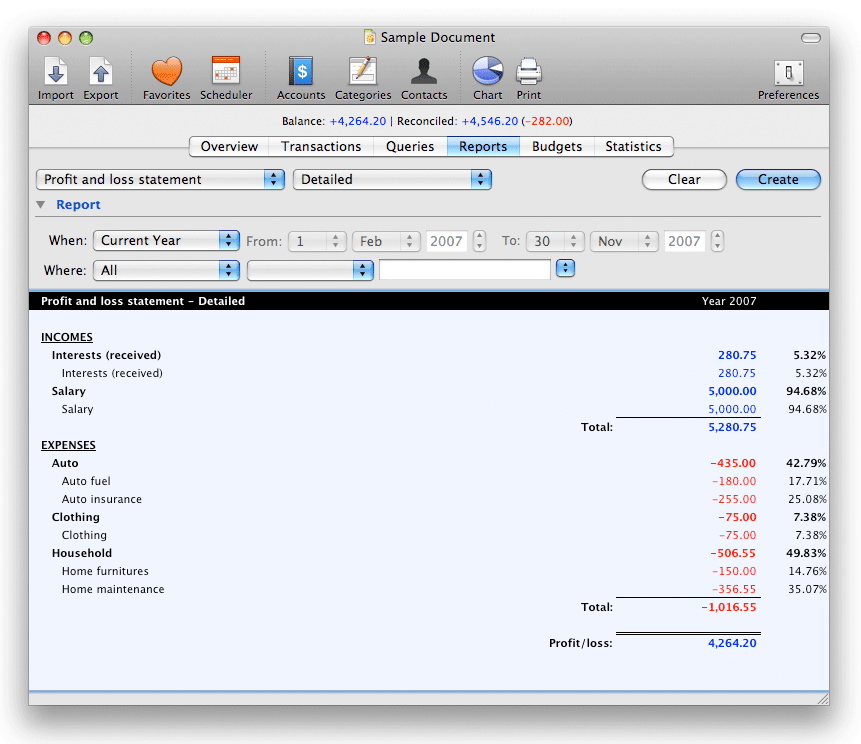
 The Profit and loss Statement provides one of the most valuable financial reports to view your finances. The Profit and Loss Statement is the most used business report. Simply stated the P & L, also commonly referred to as the Income Statement, is a snap shot or balance of money as it flows over a specific period of time, such as a month or a year. The basic formula is revenues minus expenses equals income/profit. The P & L breaks out 1) revenues or income 2) expenses and 3) profit or what is left over. A Profit and Loss statement is the easiest way to tell if you have made a profit or taken a loss over a given period of time. You can choose from the Summarized report that shows account types and categories or the Detailed report that shows types, categories and all related accounts. This report also displays the ratio for each account and category with respect to the type it belongs (Incomes or Expenses). The Profit and loss Statement provides one of the most valuable financial reports to view your finances. The Profit and Loss Statement is the most used business report. Simply stated the P & L, also commonly referred to as the Income Statement, is a snap shot or balance of money as it flows over a specific period of time, such as a month or a year. The basic formula is revenues minus expenses equals income/profit. The P & L breaks out 1) revenues or income 2) expenses and 3) profit or what is left over. A Profit and Loss statement is the easiest way to tell if you have made a profit or taken a loss over a given period of time. You can choose from the Summarized report that shows account types and categories or the Detailed report that shows types, categories and all related accounts. This report also displays the ratio for each account and category with respect to the type it belongs (Incomes or Expenses).
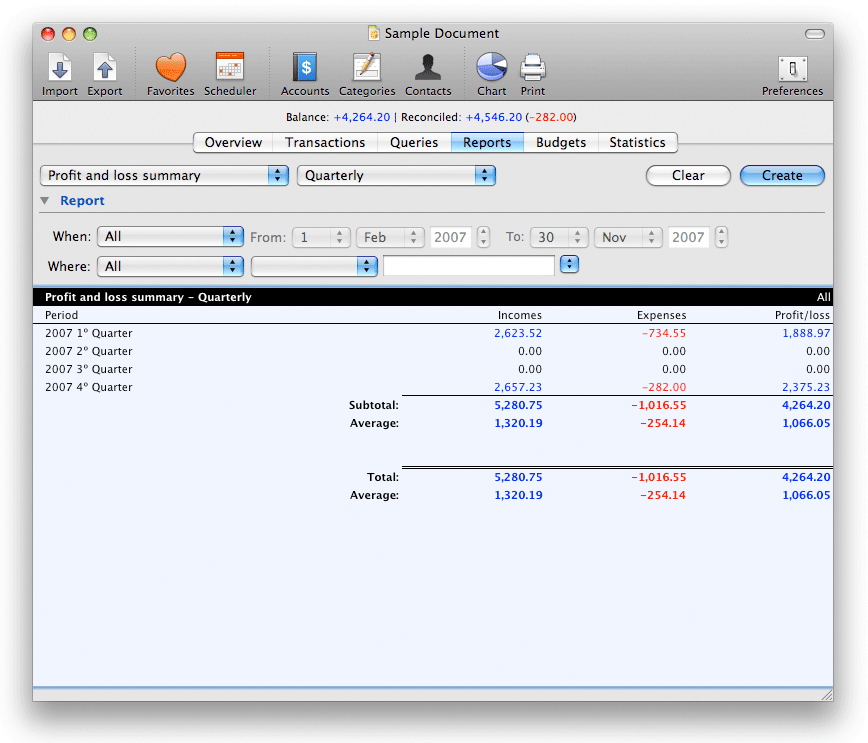
The Profit and loss Summary is a variation of the previous report but displaying Incomes, Expenses and P&L per periods of time. Available periods are 'Monthly', 'Quarterly', 'Semiannually' and 'Annually'.
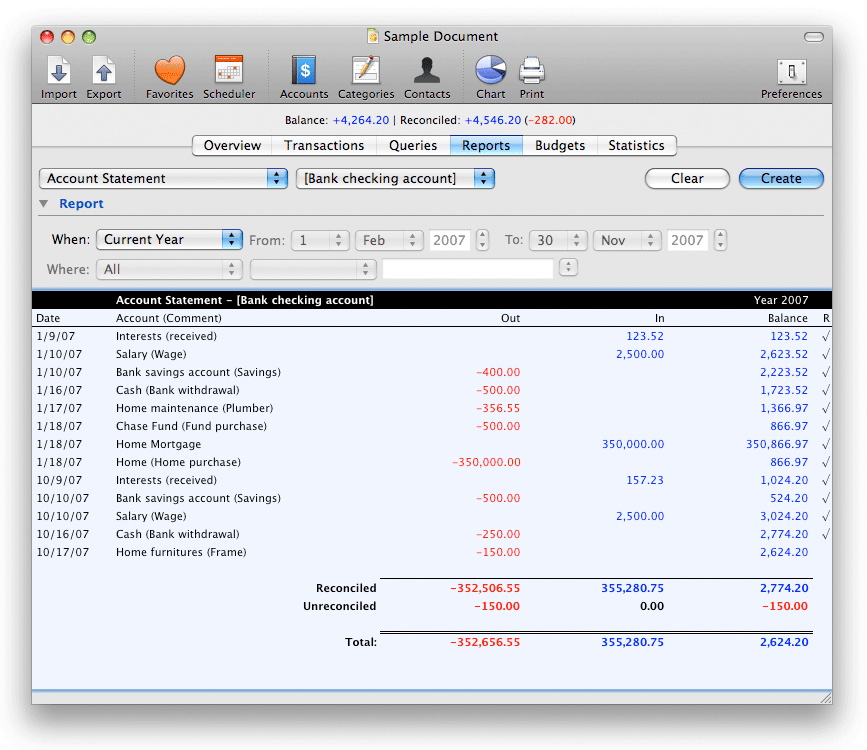
The Account Statement report provides an easy way to view your Bank account activity showing all transactions debited or credited along with corresponding balance for the time period you selected.
The Tax Report provides several reports for collected and refundable taxes. It displays each transaction date, payee data, gross amount, taxes and total.
|



 Maxprog ® by Stan Busk - © 2001-2026 Maxprog LLC. All Rights reserved