
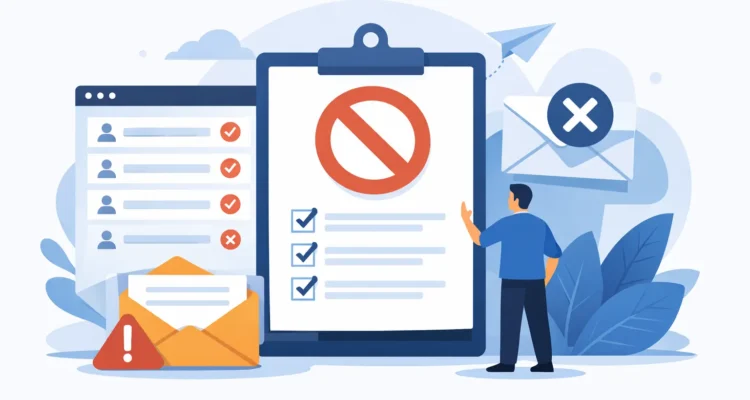
A customer clicks “unsubscribe,” yet receives the next promotion two days later. A former employee keeps getting internal announcements. An address that has bounced repeatedly is included in every send. These are not just awkward mistakes. They can damage trust, increase complaints, and make it harder for wanted messages to reach the inbox. So, what are suppression lists? They are the records your email system checks before sending so specific contacts are automatically excluded from a campaign.
For small businesses and independent senders, a suppression list is one of the simplest ways to keep control of recurring email. It separates people you can contact from people you should not contact, even when they still exist in your main customer database.
What are suppression lists and how do they work?
A suppression list is a protected list of email addresses, domains, or other identifiers that must not receive a particular type of email. Before a campaign is sent, the mailing software compares recipients in the selected list or segment against the suppression list. Any matching contacts are removed from the send.
The word “suppression” describes the action, not a judgment about the contact. A suppressed address may be a loyal customer who simply opted out of promotional email. It may be a contact who asked to receive only receipts and account notices. It may also be an address that is invalid or has generated repeated delivery failures.
A good mailing workflow keeps suppression data separate from the active mailing list. Deleting a contact after an unsubscribe request can seem easier, but it creates a problem later. If that same address is imported again from a CRM export, event signup sheet, or older spreadsheet, there is nothing left to stop it from being mailed. A suppression list preserves the instruction: do not send to this address.
Why suppression lists matter for deliverability and trust
Email providers pay attention to how recipients react to your messages. High complaint rates, repeated sends to invalid addresses, and sending to people who opted out are all negative signals. They can affect whether future messages are delivered to the inbox, filtered to spam, or rejected before delivery.
Suppression lists help prevent those avoidable problems. They are also a practical part of honoring consent. In the United States, commercial email rules require a working unsubscribe mechanism and timely handling of opt-out requests. Requirements can differ by audience location, message type, and applicable privacy rules, but the operating principle remains clear: when someone says no, your process needs to remember it.
Trust is just as valuable as compliance. Customers may tolerate occasional promotional email if it is relevant and expected. They are much less likely to trust a business that ignores a clear unsubscribe request. For nonprofits, membership groups, and public relations teams, the same issue affects reputation. Sending the right announcement to the wrong person can turn a useful communication into an unnecessary complaint.
Common contacts to add to a suppression list
The most obvious entries are unsubscribes. When a recipient opts out of marketing emails, add the address to the appropriate suppression list immediately. Do not rely on a staff member remembering to remove it from every spreadsheet.
Hard bounces should usually be suppressed as well. A hard bounce means the receiving server indicates that the address does not exist or cannot receive mail permanently. Continuing to send to it wastes sending capacity and can harm list quality.
Other entries depend on your business and campaign type. A practical suppression list may include:
- Contacts who asked not to receive email by phone, reply email, or support request
- Employees, vendors, competitors, or partners who should not receive a public promotion
- Customers with an unresolved complaint or a sensitive account issue
- Addresses associated with repeated soft bounces after you have investigated the cause
- Internal test addresses when you are sending a live customer campaign
A soft bounce needs more care than a hard bounce. A full mailbox, temporary server issue, or message-size limit can cause a soft bounce even though the address is valid. Suppressing it after one temporary failure may remove a real customer unnecessarily. Many senders use a threshold, such as several consecutive soft bounces, before moving an address to suppression.
Suppression lists are not the same as segments
Segments decide who should receive a message. Suppression lists decide who must not receive it. Both can use similar contact fields, but they solve different problems.
For example, a retailer might create a segment for customers who purchased within the last 90 days and have shown interest in a product category. That segment identifies the intended audience. Before sending, the retailer suppresses unsubscribed contacts, addresses with permanent failures, and customers who have requested no marketing email.
This distinction matters when lists overlap. A contact can match the ideal customer segment and still be ineligible for the campaign. If your workflow treats a segment as the final recipient list, rather than checking it against suppression records, you can send to people who should have been excluded.
Exclusion lists are sometimes used as another name for suppression lists, especially inside mailing software. In some teams, however, “exclusion” refers to a temporary campaign choice, such as excluding customers who bought the promoted item last week. “Suppression” usually means a more durable rule tied to consent, deliverability, or contact preference. Define the terms your team uses and apply them consistently.
Set up a dependable suppression process
The best suppression process is automatic wherever possible and easy to review when human judgment is needed. Start by deciding which events create a suppression entry. At minimum, that should include unsubscribe requests and confirmed hard bounces. Add a reason and date for each entry so you can understand why a contact was excluded later.
Keep a master suppression list rather than separate copies scattered across spreadsheets. If you operate multiple brands, locations, or sending addresses, consider whether an opt-out applies across all marketing messages or only to one program. The answer depends on what the recipient was promised when they subscribed and how your communications are organized.
Before each send, check that the campaign is using the current suppression list. This is especially important when importing a new list from a sales system, trade show, online store, or legacy database. New imports often contain duplicates and old addresses. Running an email verification step before mailing can identify invalid addresses, while a suppression check protects known opt-outs and exclusions.
MaxBulk Mailer can support this kind of controlled workflow by letting senders manage lists, remove duplicates, personalize campaigns, and work with bounce results rather than treating every import as ready to send. The goal is not to make list maintenance complicated. It is to make the correct action repeatable.
Keep the original record, but suppress the address
When possible, retain the contact record in your business system while marking the email address as suppressed. Purchase history, service notes, and account details may still be useful for customer support or reporting. The key is to prevent the email address from entering future promotional sends.
Take care with personal data. Keep only the information you need, limit access to staff who need it, and follow your organization’s retention policies. A suppression list should not become an unorganized archive of every contact you have ever collected.
Test before large sends
A quick pre-send review catches many issues. Confirm the audience count, review the suppression count, and send a small test to internal addresses. If a campaign that normally reaches 5,000 contacts suddenly has only 3,800 recipients after suppression, investigate the difference before scheduling it. A large drop might be correct, but it might also signal an import mismatch or duplicate rule.
For high-volume sends, use reasonable server thresholds and send in batches when needed. Slower, controlled delivery is often preferable to creating a sudden burst that triggers provider limits. Suppression lists do not replace good sending practices, but they remove a major source of unnecessary delivery attempts.
When should a contact be removed from suppression?
Usually, an unsubscribe should remain suppressed unless the person actively subscribes again. Do not treat a purchase, a business card exchange, or a long period of inactivity as permission to restart promotional email. A clear new opt-in is the safer standard.
There are exceptions. An address may have been added by mistake, a recipient may correct a typo, or a customer may specifically ask to resume mail. Record the reason for reinstatement and the date. If possible, use a confirmation step so the request is clear and documented.
Suppression lists do not make campaigns less effective. They make the audience more honest. Maintain one carefully, check it before every send, and your messages will spend less time reaching people who do not want them and more time serving the customers who do.