
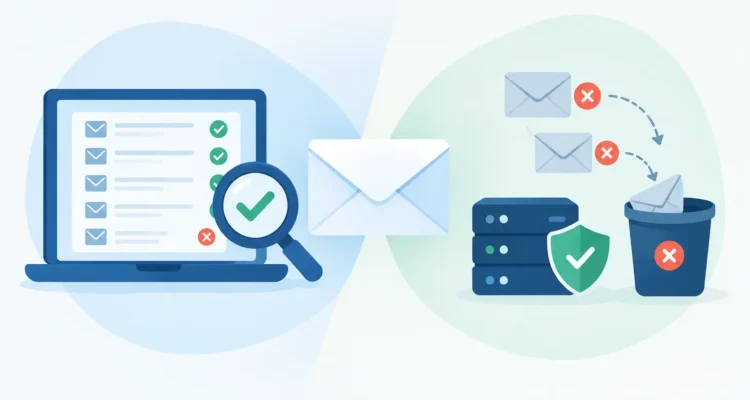
A mailing list can look healthy right up until a campaign produces a wave of returned messages. That is why the email verifier versus bounce handler question matters for anyone sending newsletters, offers, price lists, press releases, or customer updates. The tools solve related problems, but they work at different points in your email process.
An email verifier helps you assess addresses before you send. A bounce handler helps you understand and act on messages that failed after you sent them. Using one does not make the other unnecessary. Together, they give you a cleaner list, more reliable delivery, and less manual work after each campaign.
Email Verifier Versus Bounce Handler: The Core Difference
Think of verification as prevention and bounce handling as maintenance. Before a campaign, an email verifier checks the addresses in your list for signs that they are invalid, incomplete, risky, or duplicated. Its job is to help you avoid sending to obvious bad addresses in the first place.
A bounce handler works after delivery attempts. It reviews returned email messages, identifies the reason for each failure where possible, and helps you update the original contact list. Instead of sorting through a crowded inbox and opening every delivery notice, you can process those returns in a structured way.
The timing is the simplest distinction:
- Use an email verifier when importing a list, collecting new contacts, or preparing an important campaign.
- Use a bounce handler after sending, when mail servers return delivery failures and other response messages.
Both tools protect list quality, but neither replaces permission-based marketing. A technically valid address is not automatically an interested recipient. Continue to send only to contacts who have asked for, purchased, or reasonably expect your communications.
What an Email Verifier Does Before You Send
An email verifier examines the structure and deliverability signals associated with an address. It can identify common problems such as missing @ symbols, malformed domains, duplicate entries, and domains that do not appear able to receive email. This first pass is especially useful when a list has been assembled from multiple spreadsheets, sign-up forms, older databases, or event registrations.
For a small business, the immediate benefit is efficiency. There is little value in spending time personalizing a campaign for contacts that cannot receive it. Removing obvious errors before sending also reduces unnecessary server activity and helps you keep campaign reports focused on real prospects and customers.
Verification is valuable when you are working with an older list. An address that was valid two years ago may no longer exist because an employee changed jobs, a business closed, or a customer switched providers. Running the list through a verifier before a major announcement gives you a practical starting point for cleanup.
Still, verification is not a promise that every message will arrive. Many mail systems limit the information they reveal to protect users from abuse. An address can pass a technical check and later bounce because the mailbox is full, the recipient account is disabled, or a server has a temporary problem. It can also be deliverable but ignored by the recipient. Verification improves your odds; it does not predict engagement.
What a Bounce Handler Does After Delivery
When a message cannot be delivered, the receiving mail server usually sends a notice back to the address specified for returns. These notices are often called bounces, but they do not all mean the same thing. A bounce handler reads and categorizes the returned messages so you can make sensible changes to your list.
A permanent failure, often called a hard bounce, commonly indicates that an address does not exist or that the domain is no longer valid. Those contacts should generally be removed or marked as undeliverable. Continuing to send to clearly invalid addresses wastes sending capacity and can damage the quality of your list over time.
A temporary failure, often called a soft bounce, needs more judgment. The recipient’s mailbox may be full, the server may be temporarily unavailable, or a message may have been rejected because of a short-term policy issue. Deleting a contact after one temporary failure may mean losing a valid subscriber or customer. Many senders keep these contacts active initially, monitor repeated failures, and only suppress them when the pattern shows the address is no longer useful.
Bounce handling can also reveal operational issues beyond a bad email address. If many messages are returned from one company domain, the issue may be a recipient server policy, a sending configuration problem, or a campaign that needs slower delivery settings. Looking at bounce patterns helps you fix the cause instead of treating every failure as an individual contact problem.
Why a Verifier Cannot Replace Bounce Processing
It is tempting to verify a list once and assume it will remain clean. Email is not static. Employees leave organizations, customers abandon old inboxes, domains expire, and server rules change. Even a carefully verified list will generate returns over time.
A verifier also cannot show what happened to a specific campaign after it left your sending server. Did a mailbox reject the message because it was full? Did a domain no longer exist? Did multiple recipients at the same organization encounter the same delivery problem? Those are post-send questions, and bounce handling is designed to answer them.
For recurring communications, bounce processing should be part of your normal campaign routine. Send the campaign, process returns, update the list, and use the results to improve the next mailing. This keeps list maintenance manageable instead of turning it into a large cleanup project every few months.
Why Bounce Handling Cannot Replace Verification
Waiting for bounces means discovering bad addresses by sending to them. That approach may be acceptable for a small, recently updated customer list, but it is inefficient for a large import or an old database. A campaign with thousands of obvious errors creates unnecessary returns and makes your post-send work harder.
Verification is particularly helpful before a first mailing to imported contacts, before sending a time-sensitive press release, or before using a list that has not been contacted recently. It removes easy-to-identify problems while giving you a cleaner base for segmentation and personalization.
There is also a reporting benefit. If you begin with a cleaner list, delivery and engagement statistics are easier to interpret. You can spend less time asking whether a low response rate came from invalid contacts and more time improving the message, offer, audience, and sending schedule.
A Practical Workflow for Cleaner Campaigns
The most effective approach is to use both tools in sequence, not choose one permanently over the other. Start by importing or building your list in a consistent format. Remove duplicates and obvious formatting errors, then verify new, purchased, collected, or older addresses before adding them to an active mailing group.
Next, create your campaign and use only the contacts relevant to its purpose. A restaurant promotion, a product update, and a media announcement should not necessarily go to the same group. Segmenting the list keeps messages useful and reduces the chance that recipients disengage or report unwanted mail.
After sending, allow time for delivery notices to return. Process those messages with a bounce handler and apply the results to your master contact list. Remove permanent failures promptly. Review temporary failures, especially when the same address or domain appears repeatedly. Keep notes on unusual patterns so you can distinguish an individual bad mailbox from a broader server issue.
Maxprog users can build this routine around desktop tools that keep list preparation, mailing, and returned-message management under their control. The goal is not to make email administration more complicated. It is to replace repetitive manual sorting with a clear process that can be repeated for every campaign.
Choosing the Right Tool for the Immediate Job
If you must choose what to do first, look at where the risk is in your workflow. Use an email verifier first when you have a large list of uncertain quality, newly collected addresses, or an important mailing that cannot afford a high number of failures. It gives you a cleaner list before you invest in sending.
Focus on bounce handling first if you already send regularly but have not been updating contacts from returned mail. You may have valid customers mixed with addresses that stopped working months ago. Processing existing bounces is often the fastest way to bring that active list back under control.
For regular senders, the answer is not really email verifier versus bounce handler. Verification prepares the list for delivery, while bounce handling keeps it accurate after real-world delivery results arrive. Make both steps part of your routine, and each campaign will start with better information than the last.