
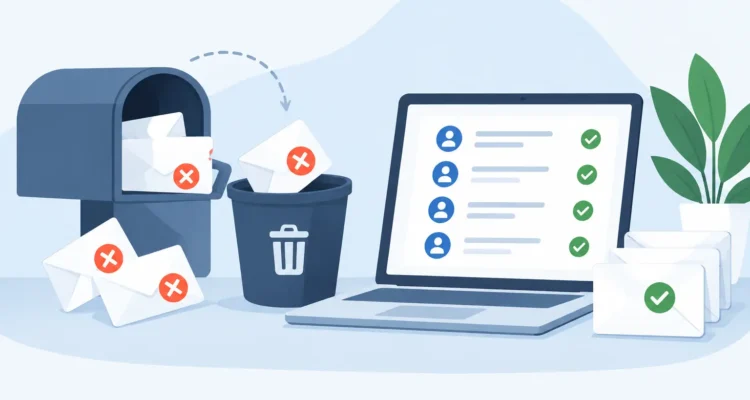
A campaign can look successful when it leaves your outbox, then create trouble a few hours later when bounce reports begin to arrive. If you clean bounced addresses after mailing, you protect more than one campaign. You keep your contact list useful, reduce wasted sends, and give future messages a better chance of reaching real inboxes.
For small businesses, nonprofits, sales teams, and independent marketers, bounce handling should be a regular part of the mailing process, not an occasional cleanup project. The right approach is simple: review the results, identify why each address failed, remove or suppress addresses that cannot receive mail, and treat temporary failures with more care.
Why Bounced Addresses Need Attention
Every email provider watches sending patterns. A few bounced messages in a normal campaign are expected. A repeated pattern of sending to invalid, inactive, or blocked addresses can damage your sending reputation over time. That can lead to more messages being filtered, delayed, or rejected, including messages sent to valid customers.
There is also a practical cost. Sending to addresses that no longer exist adds no value to a newsletter, price list, event invitation, or press release. It can distort campaign reporting too. A low open rate may reflect a tired list rather than weak content.
Cleaning bounces after each mailing keeps your data closer to reality. It also gives you a clearer view of how recipients respond to your message. This is especially useful when you send recurring communications to a list that changes often, such as customer updates, membership notices, or product announcements.
Read the Bounce Before Removing the Address
Not every bounce means the same thing. The delivery response from the recipient’s server usually tells you whether the failure is permanent, temporary, or related to a policy issue. Treating every bounce as a permanent failure can remove good contacts unnecessarily. Ignoring every bounce can fill your list with addresses that will never work.
Hard bounces: remove or suppress them
A hard bounce generally means the address cannot receive mail. Common reasons include an invalid email address, a domain that no longer exists, or a recipient mailbox that has been deleted. These addresses should be removed from active mailings or placed on a permanent suppression list.
Do not simply delete the record without thought if your contact database contains customer history, notes, or purchase information. In many cases, it is better to retain the contact record while marking the email address as undeliverable. That way, your team does not accidentally import the same bad address again later.
Soft bounces: monitor before taking action
A soft bounce is usually temporary. The recipient mailbox may be full, the server may be unavailable, or the message may be too large for the receiving system. A temporary failure can also occur when a recipient server is busy or applies a short-term rate limit.
One soft bounce does not always justify removing an address. Try again in a later campaign or after a reasonable delay. If the same address repeatedly generates soft bounces across several sends, it is sensible to suppress it. The number of retries depends on how often you mail and how valuable the contact is. For a weekly newsletter, repeated failures over several weeks are a meaningful signal. For a monthly customer update, you may need a longer observation period.
Policy and reputation bounces: investigate the cause
Some bounces occur because a server rejects the message based on content, authentication, sender reputation, or local policy. These are different from a bad recipient address. Removing the recipient from your list will not solve a campaign-wide rejection problem.
If many recipients at the same company or provider reject your messages, look for a shared pattern. Review your sending address, authentication setup, message size, subject line, HTML structure, and sending volume. A sudden increase in these responses is a reason to pause and investigate before sending the next large batch.
A Practical Process to Clean Bounced Addresses After Mailing
Start by importing or collecting the bounce messages generated by your campaign. If you use a dedicated bounce-handling tool, it can read delivery reports and classify the failed addresses for you. MaxBulk Mailer users can pair their campaign workflow with Email Bounce Handler to process returned mail and update their list without sorting every message by hand.
The goal is not just to create a list of failed addresses. You need an updated mailing list that separates permanent failures from contacts that deserve another attempt.
First, process the bounce mailbox soon after delivery results arrive. Waiting months can make it difficult to connect bounces with a specific campaign, especially if you send several messages from the same account. Keep campaign names and send dates organized so you can review a clear record when needed.
Next, mark confirmed hard bounces as inactive or add them to a suppression list. Suppression is often the safer choice because it prevents accidental re-importing. If you maintain separate lists for customers, prospects, donors, or media contacts, apply the change across the appropriate records rather than cleaning only the list used for one campaign.
Then, place soft bounces into a temporary review group. Track how many times each address has failed and when the last failure occurred. A contact who has one full mailbox is not the same as a contact whose mailbox has rejected every message for six months.
Finally, review the overall bounce rate. If a small number of addresses failed in a large, established list, routine cleaning may be all that is needed. If the rate is unusually high, stop treating it as an address-by-address issue. Check whether a recent import contained old data, whether a signup form allowed typing errors, or whether the campaign encountered a technical delivery problem.
Keep Suppression Data Separate From Marketing Segments
A clean mailing list is not just a shorter list. It is a list with clear status information. Your active contacts should remain available for targeting and personalization, while undeliverable addresses should stay excluded from future sends.
This distinction matters when lists are merged. A salesperson may export contacts from a CRM, a nonprofit may combine event registrations with an older newsletter list, or a business may upload a new customer file. Without a suppression record, previously bounced addresses can quietly return to the active list.
Use a consistent status field or separate exclusion list, and make it part of your import routine. Before a new campaign goes out, compare incoming contacts against known hard bounces, unsubscribes, and addresses that have repeatedly failed. This protects your sending record without forcing you to throw away useful customer information.
Prevent More Bounces Before the Next Send
Post-mailing cleanup is necessary, but prevention saves time. Validate new addresses when you collect or import them. Email verification can catch common problems such as malformed addresses, invalid domains, and mailboxes that cannot be confirmed before you spend time creating a campaign.
Review how addresses enter your database as well. A form that accepts a typo without confirmation will create avoidable bounces. If contacts are entered manually at trade shows, over the phone, or from printed cards, use a confirmation process before adding them to your regular mailing segment.
Sending controls also matter. Large campaigns should respect the limits and thresholds of the outgoing mail server. Sending too quickly can cause temporary rejections that look like list-quality problems. Spacing messages appropriately and using a stable sender identity gives recipient systems a better basis for trusting your mail.
When you make changes, watch the next campaign’s results. A declining hard-bounce rate usually indicates that list cleaning is working. If temporary failures remain high, the issue may be the sending configuration, content, or recipient-server policy rather than the contacts themselves.
Make Bounce Handling Part of Every Campaign
The most reliable email routines are repeatable. Build bounce review into the same sequence you use to import contacts, prepare content, preview the message, schedule delivery, and check opens or clicks. It takes far less time to process a campaign’s returns while the results are fresh than to repair a neglected list later.
A well-maintained list also supports better decisions. You can compare engagement among reachable recipients, focus follow-up efforts on real contacts, and send future announcements with greater confidence. Every cleaned address is one less avoidable delivery failure in the next campaign.