
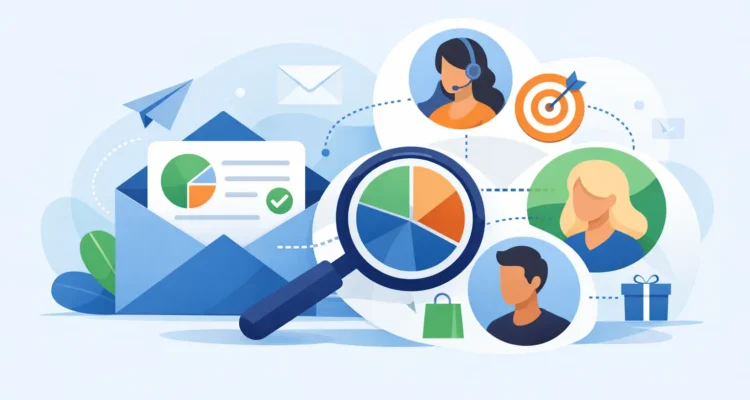
A single email list can look organized while hiding a costly problem: longtime customers, new inquiries, inactive subscribers, and press contacts all receive the same message. Email segmentation gives you a practical way to separate those audiences and send each group information that fits its relationship with your business.
For a small business or nonprofit, this does not require a large marketing department or complicated automation. It starts with the contact information you already maintain, then uses it to make each campaign more useful. The result is often better engagement, fewer unsubscribes, and clearer decisions about what to send next.
What Email Segmentation Means in Practice
Email segmentation is the process of dividing a larger contact list into smaller groups based on shared details or behavior. Instead of creating one general newsletter for everyone, you create targeted versions for people with something meaningful in common.
A local retailer might separate wholesale buyers from retail customers. A software company could distinguish trial users from licensed customers. A nonprofit may send volunteer opportunities to local supporters while sending donation updates to its full list. The message does not need to be completely rewritten for every group. Often, a different subject line, offer, opening paragraph, or call to action is enough.
The purpose is not to make your email process more elaborate. It is to avoid asking recipients to sort through information that was never intended for them. Relevance is a delivery and relationship issue, not just a marketing preference. When people regularly receive useful messages, they are more likely to open future mail and less likely to report it as unwanted.
Start With Data You Can Maintain
The best segments are based on data your team can collect accurately and update without excessive work. A small, dependable set of fields is more valuable than a large database full of blanks and outdated assumptions.
Begin with basic contact details: name, email address, company, location, and the date the contact joined your list. Then add the information that changes how you communicate. For many businesses, that may include customer type, product interest, purchase history, account status, sales representative, or preferred language.
If you send recurring price lists or product announcements, customer status can be especially useful. Prospects may need an introductory offer and a clear explanation of your services. Existing customers may need a product update, renewal reminder, or complementary recommendation. Treating both groups the same can make a valuable email feel irrelevant to one of them.
Do not create a field simply because it might be useful one day. Every field needs a clear purpose. Ask: Will this information change the message, timing, or audience for a campaign? If the answer is no, leave it out. A manageable list is easier to import, review, and keep clean.
Use clear values, not improvised notes
Consistency matters. If one person records a customer as Active, another writes Current, and a third uses Yes, filtering becomes unreliable. Use simple standard values such as Prospect, Customer, Former Customer, and Partner. The same applies to state names, industries, interests, and lead sources.
Before each campaign, review the number of contacts in the selected group. An unexpectedly small or large count may reveal a filter problem, duplicate records, or missing data. This quick check can prevent a message from reaching the wrong audience.
Build Your First Segments Around Real Campaigns
Many teams delay segmentation because they imagine dozens of audience groups. That is unnecessary. Start with the campaigns you already send and identify the biggest reason recipients need different information.
For example, a business announcing a new service could create three groups: current customers, prospects, and inactive contacts. Current customers receive an explanation of how the service works with what they already use. Prospects receive a broader introduction and a reason to start a conversation. Inactive contacts may receive a shorter reintroduction or a request to confirm they still want updates.
Useful first segments often include:
- New subscribers who need a welcome message or basic introduction
- Active customers who need updates, offers, and service information
- Prospects who have requested information but have not purchased
- Contacts grouped by location, industry, language, or business role
- Less engaged recipients who may need a lighter sending schedule or a re-engagement message
These groups are distinct enough to guide different communication. Avoid building segments based on tiny differences that do not affect the campaign. A list of 40 contacts split into eight groups may create extra work without improving the result.
Combine Segmentation With Personalization
Segmentation decides who receives an email. Personalization changes details within that email, such as the recipient’s name, company, account number, or assigned representative. They work well together, but they solve different problems.
A personalized greeting cannot rescue an irrelevant message. Sending Hello, Maria to a customer who does not need the offer is still a poor experience. Conversely, a highly relevant email does not always need many personal fields. A concise message to all customers in a specific region can feel useful because the topic and timing are right.
Use personalization where it adds clarity or trust. Include a recipient’s name in a direct account update, reference their company in a business proposal, or insert a unique renewal date when appropriate. Always preview the message with representative records before sending. Check for blank fields, incorrect capitalization, and awkward fallback text.
Keep Deliverability in the Plan
Segmentation can support deliverability because it reduces the habit of sending every campaign to every address. But it is not a substitute for permission, list hygiene, or sensible sending practices.
Import contacts from legitimate sources, honor unsubscribe requests, and remove duplicates before a campaign. Validate addresses when possible, then process bounce information after sending. Repeatedly mailing invalid or inactive addresses wastes time and can damage your sending reputation.
Engagement-based segments require judgment. If a group has not opened recent messages, it may be because the address is abandoned, the subject lines are weak, images are blocked, or the recipient simply has not needed your offer. Do not assume every non-opener is uninterested. A carefully limited re-engagement campaign can help you decide whether to continue mailing that group.
Sending volume also matters. If your mail server has hourly or daily thresholds, schedule campaigns in batches and use delivery controls that match those limits. A segmented campaign is often easier to pace than one large, all-list send. This gives you time to review early results and pause if you notice a problem.
Measure What Each Group Tells You
Campaign reports become more useful when you compare results by segment. An overall open rate may look average while one audience is responding strongly and another is barely engaging. That difference tells you where to improve the message, the offer, or the list itself.
Review opens, clicks, bounces, unsubscribes, and replies in context. A customer update may have modest click activity because recipients only need to read it. A promotional offer should usually generate more clicks. A press release may be measured by media replies or coverage rather than newsletter-style engagement.
Look for patterns over several sends instead of reacting to one result. If prospects consistently open messages about a particular product category, that is a reason to develop a more focused follow-up. If inactive subscribers ignore several well-spaced re-engagement emails, consider suppressing them rather than continuing to send.
A Simple Workflow for Recurring Campaigns
The easiest way to keep segmentation useful is to make it part of your regular email workflow. First, import or update your contact list and remove duplicates. Next, confirm that key fields use consistent values. Select the segment, compose the message for that audience, and add personalization only where it helps.
Preview the email carefully in both HTML and text form. Send a test to yourself or colleagues, verify the recipient count, and confirm that links, images, and unsubscribe details are correct. Then schedule delivery at a pace your email server can handle.
Desktop software such as MaxBulk Mailer can be useful here because it keeps list management, personalized message creation, delivery controls, and campaign tracking in one direct workflow. The goal is not to turn every campaign into a technical project. It is to give a small team enough control to send accurately and review results without paying for features it will not use.
When Fewer Segments Are Better
More segmentation is not automatically better. If your list is small, your offer is broadly relevant, or your contact data is limited, a single well-written campaign may be the right choice. Splitting audiences too far can lead to inconsistent messaging, rushed copy, and reporting that is too thin to be meaningful.
Add a segment when it changes a real decision: who should receive the email, what they should see, when they should receive it, or what action you want them to take. That standard keeps the process focused on communication rather than list administration.
A good segment is not the most detailed one. It is the one that helps a recipient recognize why your message belongs in their inbox.