
A price list that arrives after a customer has already called, a fundraiser sent after the event, or a promotion delivered at 3 a.m. can waste an otherwise well-written message. Email campaign scheduling gives you control over both timing and delivery pace, so your communications reach people when they are useful rather than merely convenient to send.
For small businesses, nonprofits, sales teams, and public relations professionals, scheduling is more than selecting a date on a calendar. It is a practical way to prepare campaigns ahead of time, protect your sending server, and maintain a reliable communication routine without staying at your desk to press Send.
Why Email Campaign Scheduling Matters
Many outgoing emails are tied to a real deadline: a monthly newsletter, a seasonal offer, an appointment reminder, a product announcement, or a press release with an embargo. Preparing the message early reduces last-minute errors. Scheduling it for the right time ensures that preparation pays off.
Timing also affects how recipients experience your organization. A restaurant can send its weekend offer before customers make plans. A retailer can announce a sale when it begins. A nonprofit can schedule a reminder while supporters still have time to register or donate. The best send time depends on the audience, the type of message, and the action you want readers to take.
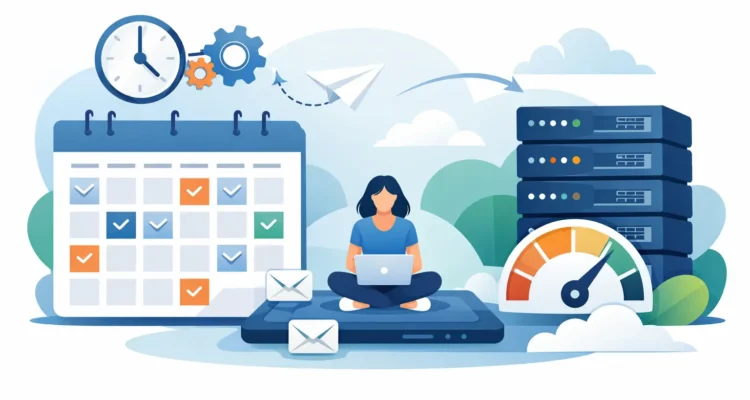
There is a second reason to schedule carefully: email infrastructure has limits. Sending thousands of messages as quickly as possible may trigger restrictions from an SMTP server or email provider. A controlled campaign can use delays, batches, and server thresholds to distribute mail at a pace your sending account can handle.
That is not the same as trying to evade provider rules. Responsible email campaign scheduling works within them. It helps legitimate senders avoid unnecessary interruptions while providing recipients with messages they requested or can reasonably expect.
Start With a Campaign Calendar, Not a Send Button
A useful campaign calendar does not need to be complicated. It should show what will be sent, who will receive it, when it should arrive, and who is responsible for reviewing it. For recurring communications, decide on a consistent rhythm. A monthly newsletter sent on the first Tuesday, for example, is easier to prepare than a newsletter assembled whenever someone finds spare time.
Work backward from the delivery date. Give yourself time to update the contact list, write the message, proofread the subject line, test links, and review the final layout. If a campaign is time-sensitive, schedule it early enough that a technical issue can be corrected before the message needs to go out.
This approach is especially useful for teams that manage several types of communication. A single calendar can prevent a product announcement from colliding with a newsletter, a service notice, and a sales promotion. Recipients do not need every message at once, even when each message is valid on its own.
Prepare the List Before You Schedule
Scheduling does not fix a poor contact list. If the list contains duplicate entries, outdated addresses, or recipients who should not receive a particular offer, those problems will still be present when the campaign runs.
Before choosing a send time, remove duplicates and review your segments. A general announcement may go to your full newsletter list, while a price update may only apply to existing customers. A local event invitation may need a geographic segment. Sending fewer, more relevant messages often produces better engagement than sending one broad message to every address you have collected.
Address validation is also worth doing before a large campaign. Invalid addresses can increase bounces and make it harder to see whether a campaign performed well. After sending, process bounce information and update the list so the next scheduled campaign starts cleaner than the last one.
Always respect unsubscribe requests and any consent requirements that apply to your list. Good scheduling supports a respectful mailing practice. It does not replace it.
Build, Preview, and Test Before the Scheduled Date
Once the list is ready, compose the email with the scheduled audience in mind. Use a clear subject line, recognizable sender information, and one main purpose. If the message includes a limited-time offer, state the deadline accurately. If it is a customer update, explain what the recipient needs to know and what, if anything, they should do next.
Personalization can make a scheduled message feel more relevant, but only when the data is reliable. A first name field is helpful if names are complete and correctly formatted. If your records are inconsistent, use a neutral greeting rather than risk sending an email addressed to “Unknown” or a misspelled name.
Preview the message in both HTML and text formats. Check how images, buttons, line breaks, and merge fields appear. Send a test copy to yourself and, when possible, to another person who was not involved in writing it. A fresh reader is more likely to notice an incorrect date, missing attachment, or unclear call to action.
Do not assume a scheduled campaign is finished just because it has been placed in the queue. Reopen it before the send date if inventory, pricing, event details, or business hours could change. Scheduled communication is convenient, but it should still reflect current information.
Set a Delivery Pace Your Server Can Support
A campaign sent to 500 contacts may need different settings than one sent to 50,000. Your server, hosting provider, or SMTP service may limit how many messages can be sent per hour, per connection, or per day. Exceeding those limits can cause delays, rejected mail, or a temporary suspension.
Set the campaign’s sending speed according to the rules of the server you use. When limits are unclear, start conservatively and review the results. A slower send may feel less dramatic, but dependable delivery is more valuable than a short burst that creates an account problem.
Batch sending is useful when a campaign has a large audience. Instead of releasing every message at the same second, send in measured groups with a pause between them. This gives your email system room to process the work and makes it easier to identify an issue before the entire campaign has been delivered.
MaxBulk Mailer can schedule campaigns while giving users direct control over delivery settings, including delays and server-threshold management. That combination is useful for organizations that want desktop software and practical control over when messages go out and how quickly they are sent.
Choose Send Times Based on Purpose
There is no universal best time to send email. Business audiences may be more responsive during work hours, while consumer audiences may read personal email in the evening or on weekends. An urgent service notice should be sent when people need the information, regardless of common marketing benchmarks.
Start with what you know about your audience. If customers typically call after receiving a monthly statement, schedule it during hours when your team can answer questions. If you are promoting a webinar, send an initial invitation early enough for planning and a reminder close enough to the event to be useful.
For recurring campaigns, test one variable at a time. Try a different day or hour with comparable segments, then compare opens, clicks, replies, conversions, and unsubscribe activity. Open rates can provide a useful signal, but they are not perfect because privacy settings can affect tracking. A click, reply, purchase, registration, or completed request is often a stronger measure of success.
Review Results and Improve the Next Send
After a scheduled campaign is delivered, review the outcome while the details are still fresh. Look for delivery failures, bounce patterns, opens, clicks, and responses. Compare the results with the campaign’s goal instead of judging every email by the same metric.
A press release may be successful because reporters reply or publish a story. A price list may succeed because customers place orders or ask for quotes. A newsletter may be doing its job if readers consistently visit a featured page or keep the unsubscribe rate low.
Use what you learn to improve the next campaign. Adjust the segment, subject line, timing, message length, or sending pace when the evidence supports a change. Keep a simple record of each campaign so useful patterns do not disappear into inbox history.
A well-scheduled email should feel timely to the recipient and manageable to the sender. When your list is clean, your message is checked, and your delivery pace respects your server, scheduling becomes a dependable part of running customer communication rather than another task waiting until the last minute.