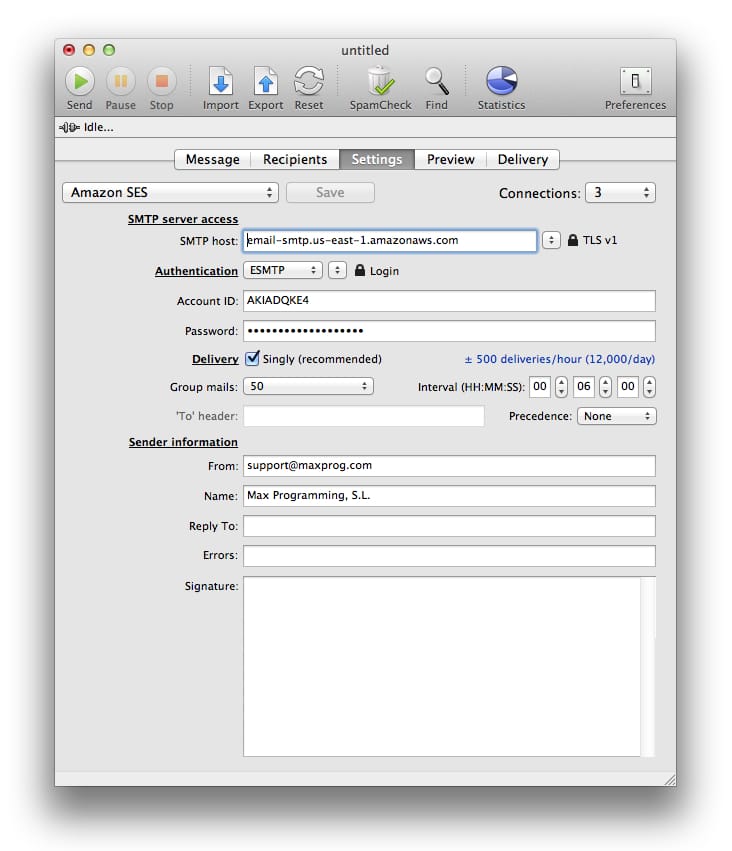
These are the Amazon SES MaxBulk Mailer settings:
| SMTP server access |
|
SMTP Host |
email-smtp.us-east-1.amazonaws.com |
|
Connections |
3 |
|
Security |
TLS v1 |
| Authentication |
|
Authentication |
ESMTP | Login |
|
Account ID |
<your_ses_userid> |
|
Password |
<your_ses_password> |
| Delivery |
|
Delivery |
Singly |
|
Group mails |
50 |
|
Interval |
00:06:00 |
| Sender information |
|
From |
<your_email_address_here> |
|
Name |
<your_display_name_here> |
This page shows the settings for a delivery at a rate of 500 messages per hour however the Amazon SES limit for outgoing email messages is variable, it depends on your reputation within Amazon SES. Indeed, the system needs some time to build your reputation. If you are a brand-new user, Amazon SES helps protect your trustworthiness with ISPs by letting you send a small amount of email each day. If the mail that you send is acceptable to ISPs, this limit will quickly increase. Over time, your sending limits will steadily increase so that you can send larger quantities of email at faster rates. These sending limits help you gradually ramp up your sending activity, and they decrease the likelihood that ISPs will block your emails because of sudden, unexpected spikes in volume or rate.
Note that Amazon SES inspects email messages, scanning the headers and body to determine whether they contain content that ISPs might construe as spam. If so, the message isn't sent. Instead, Amazon SES sends a warning email message back to you. You can then take action to correct this situation. If the email message is free of spam and other questionable content, Amazon SES sends it out for delivery, and it should soon arrive in the recipient's inbox. Important Excessive attempts to send low-quality email (such as spam) constitutes abuse, and puts your SES account at risk of termination.
Example:





 Maxprog ® by Stan Busk - © 2001-2026 Maxprog LLC. All Rights reserved