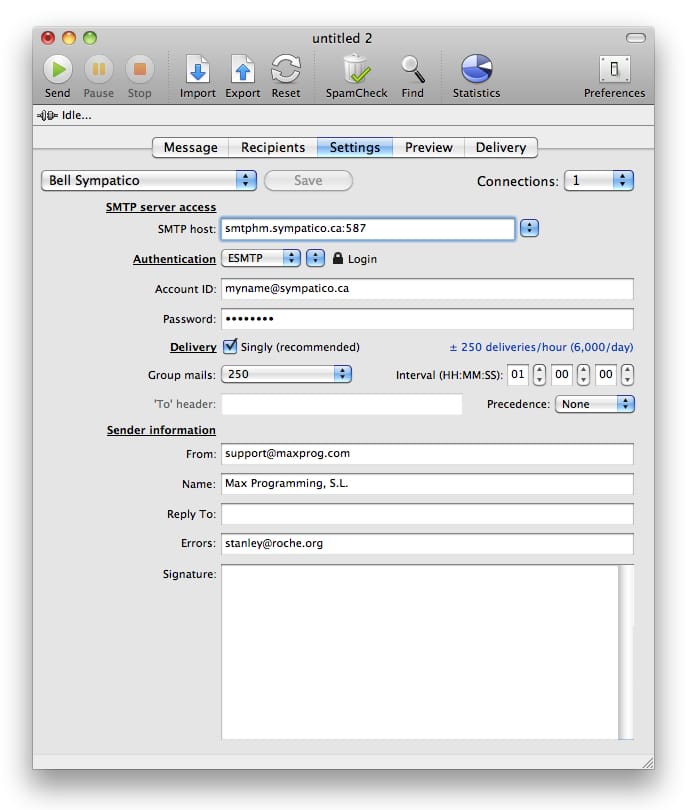
These are the Bell Sympatico MaxBulk Mailer settings:
| SMTP server access |
|
SMTP Host |
smtphm.sympatico.ca:587 |
|
Connections |
1 |
| Authentication |
|
Authentication |
ESMTP | Login |
|
Account ID |
<your_Bell_Sympatico_Email_Address> |
|
Password |
<your_Account_Password> |
| Delivery |
|
Delivery |
Singly |
|
Group mails |
250 |
|
Interval |
01:00:00 |
| Sender information |
|
From |
<your_email_address_here> |
|
Name |
<your_display_name_here> |
It is possible Bell Sympatico limits email marketers to sending a given amount of emails per day, per email account. Bell Sympatico Acceptable Use Policy is not clear about this. In the example above we have set MaxBulk Mailer to send a maximum of 250 emails per hour. If you know that information please open a support ticket here and give it to us so we can update this page.
As a precautionary measure to stop spam, many ISPs are no longer allowing outbound traffic on port 25. As a result, your ISP may have blocked port 25 on your account. Port 25 is the standard TCP port used to send e-mail via the SMTP protocol. Hopefully most SMTP servers offer their services through several ports. So, if MaxBulk Mailer can't connect to your server through default port 25 try to use port 587. If the 'LOGIN' authentication scheme gives problems try 'PLAIN' from the second pull-down menu next to 'Authentication'.
Example:





 Maxprog ® by Stan Busk - © 2001-2026 Maxprog LLC. All Rights reserved