First you have to understand we have two kinds of accounts in iCash, Assets and Money Flow; in the overview panel they correspond to the 'Balance' and 'Profit and Loss' root folders respectively. Assets accounts are 'Banks', 'Portfolio', 'Assets' and 'Debts', they represent what you own at a given time. Money flow accounts are 'Incomes' and 'Expenses', they represent and display a flow of money up to a given date.
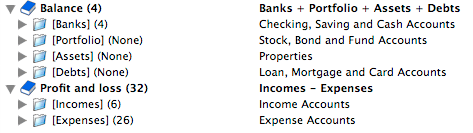
There is a great difference between a flow account and an asset account when dealing with currencies and rates because a flow account display a flow of money during a given period and an asset account display what you own at a given date. That means the flow amount is the result of many transactions added at different dates with different rates however assets balance is specific to a single date, usually today.
As a result, currencies and rates are not applied the same way to Assets and Money Flow accounts:
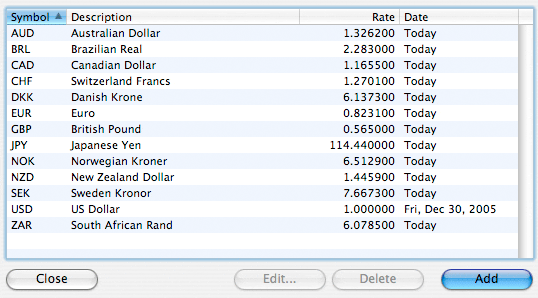
Because you own your assets, iCash will display your Balance using the rates from the Currencies window. Those rates are supposed to be up-to-date. Use the 'Edit | Currencies' menu to access and update rates.
Flow accounts/categories/types amounts however will be computed and displayed using each transaction rate.






 Maxprog ® by Stan Busk - © 2001-2026 Maxprog LLC. All Rights reserved