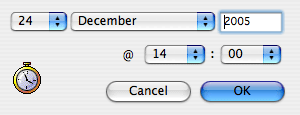
MaxBulk Mailer includes a basic delivery scheduling system in order to program email deliveries. It is very simple to use. Once your message is ready to be sent, select the 'Delivery | Schedule' menu and select the date and time you want your message to be sent.
Scheduling can be useful if you need your message to get delivered at a given time, for example overnight, when the internet traffic is low or to get your recipients to read your message as early as possible in the morning. Your computer just needs to be turned on, connected to the internet and running Maxbulk Mailer at the scheduled time.