
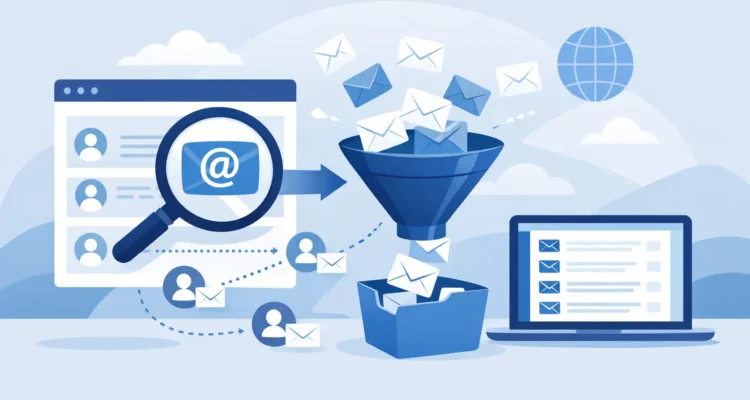
A trade association site lists a media contact. A supplier publishes a sales mailbox. A local organization provides an address for sponsorship questions. These are situations where you may need to extract email addresses from websites to build a useful outreach list. The key is not collecting the largest possible list. It is collecting relevant business contacts, respecting how the address was published, and preparing every record before you send.
For small businesses, nonprofits, sales teams, and PR professionals, this approach saves time without turning outreach into unwanted mail. A clean, permission-aware list is easier to manage, produces better engagement, and protects your sending reputation.
Start with a legitimate reason to collect
Before extracting anything, define the communication you plan to send and the audience it serves. A press release for technology reporters, a partnership request for local businesses, and an event announcement for past attendees each require a different list.
Public availability is not the same as an invitation to send unlimited promotional emails. An address on a contact page may be intended for customer service, support, media inquiries, or job applications. Read the page context. If a site says that a contact address is for a specific purpose, use it only for that purpose.
Focus on published business addresses and role-based mailboxes such as `sales@`, `media@`, `info@`, or `partnerships@` when they are relevant to your message. Be especially cautious with personal addresses, addresses behind sign-in areas, and information copied from social profiles or private directories. Do not bypass technical protections, access restricted pages, or collect data in ways that violate a website’s terms or applicable privacy laws.
For commercial email in the United States, your campaign should also follow CAN-SPAM requirements. Use accurate sender and subject information, include a physical mailing address, provide a working unsubscribe method, and honor opt-out requests promptly. If you work across states or countries, additional privacy and marketing rules may apply.
Choose the right extraction method
The best method depends on the size of the job and how often you need to repeat it. For a short list of carefully selected contacts, manual collection is often the safest choice. You can review the surrounding page, record the company name and contact purpose, and avoid adding irrelevant addresses.
For larger public websites with many relevant pages, an extraction tool can reduce repetitive work. A desktop application such as Maxprog Email Extractor can scan selected pages or website areas and collect visible addresses into a list for review. Automation is useful when it supports a defined research task. It should not replace judgment about whether each contact belongs in your campaign.
When using any tool, set clear boundaries before you start. Limit the scan to websites and sections that are relevant to your audience. Avoid broad, unfocused searches that return thousands of unrelated addresses. A smaller list of contacts who recognize why you wrote to them will usually outperform a large list gathered without context.
Keep source details with every address
An email address alone is not enough for responsible outreach. Store the source page, date collected, organization name, contact name when available, and the reason the address is relevant. Add a simple note such as “published press contact,” “vendor inquiries,” or “requested event information.”
These details make later decisions much easier. Your team can personalize the first message, remove records that no longer fit, and answer questions about where a contact came from. They also help prevent the same address from being imported repeatedly from different sources.
Clean the list before importing it
Extraction produces raw data, not a finished mailing list. Addresses can be duplicated, malformed, outdated, or attached to pages with no real connection to your message. Sending immediately after extraction is a common and expensive mistake.
Begin by removing duplicates. Normalize addresses by trimming extra spaces and treating capitalization consistently. Then separate role-based addresses from named contacts if your campaign needs a different message for each group. For example, a general business introduction may fit an `info@` mailbox, while a media pitch should go only to contacts who handle press requests.
Next, check format and deliverability. Basic checks can identify missing domains, invalid characters, and obvious typing errors. An email verification step goes further by flagging addresses that are likely undeliverable, temporary, or risky to mail. No verification method can guarantee that a person wants your message, but it can reduce avoidable bounces and protect your sender reputation.
Remove generic or irrelevant records rather than keeping them “just in case.” If an address belongs to technical support and you are sending a promotional offer, it is not a prospect. If the source is old, unclear, or unrelated to your campaign, leave it out. List quality improves when you are willing to exclude contacts.
Turn a public contact into respectful outreach
The first email matters more when the recipient has not previously subscribed. Make the reason for contacting them clear within the opening lines. Refer to their organization, role, published area of responsibility, or the event, product category, or community topic that makes your message relevant.
Avoid vague messages that claim you are reaching out because the recipient is “a valued contact.” They may have no idea who you are. A direct explanation is more credible: you found their published partnership contact while researching regional retailers, or you are sharing a press release because they cover a specific industry.
Keep the message short and useful. Offer one clear value proposition, use an honest subject line, and include a straightforward way to decline future emails. If the recipient does not engage, do not repeatedly resend the same pitch. A follow-up can be appropriate when it adds useful information, but persistence should never become pressure.
Segment before you send
Segmentation is where list research becomes practical campaign management. Group contacts by industry, location, organization type, contact purpose, source, or level of prior engagement. This allows you to send smaller, more relevant campaigns instead of one broad message to everyone.
A nonprofit may separate potential sponsors from local media and volunteer organizations. A retailer may distinguish suppliers from prospective wholesale partners. A PR professional may create separate lists for reporters covering business, technology, and community news. Each group deserves a message that fits its interests.
Personalization does not require a long, complicated template. A recipient’s first name, company, and relevant category can be enough when the rest of the message is specific and well written. Review the preview carefully before sending. Missing fields, incorrect names, and generic wording can make a legitimate message look automated.
Send in controlled batches and monitor results
A newly collected list deserves a cautious first send. Start with a small, well-reviewed segment rather than mailing every extracted address at once. Use your normal sending account and respect its server limits. Gradual sending helps you monitor results and identify problems before they affect a larger campaign.
Watch for hard bounces, soft bounces, unsubscribe requests, replies, and complaints. Hard bounces should be removed from future mailings. Repeated soft bounces may signal a temporary issue, but they should not remain on your list indefinitely. Unsubscribes should be processed immediately and retained in a suppression list so they are not re-added during a later import.
Open and click data can provide useful direction, but do not treat it as the only measure of success. Some recipients block tracking, while a short reply or a direct inquiry may be more valuable than an open. Consider whether the campaign produced relevant conversations, qualified leads, media interest, registrations, or other outcomes that match your original goal.
Build a process you can repeat
The most useful contact lists are maintained, not collected once and forgotten. Schedule periodic reviews to verify older records, remove inactive addresses, update source notes, and confirm that each segment still has a clear purpose. Keep your extraction, verification, and sending steps separate so raw discoveries never go directly into a campaign.
It also helps to maintain a clear internal rule: a contact can be collected only when there is a documented business reason, and it can be mailed only when the message is relevant and compliant. This gives small teams the control of a larger operation without adding unnecessary complexity.
A carefully chosen address is the start of a conversation, not permission for a barrage of messages. Treat every record with that standard, and your email list will become smaller in the right ways, stronger where it counts, and far more useful over time.