
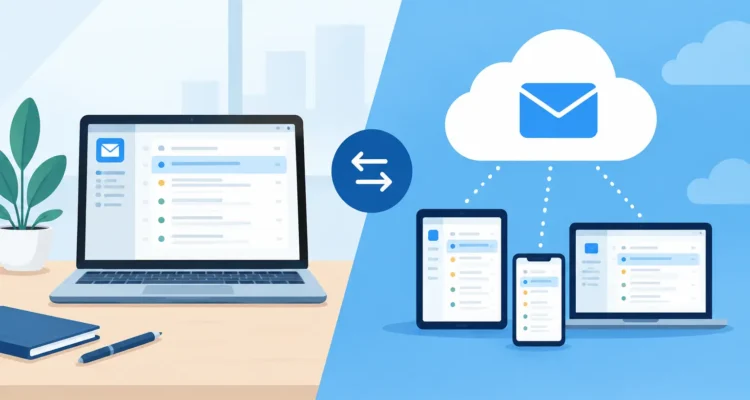
A 10,000-recipient product announcement can expose the difference between desktop versus cloud email software very quickly. One system may ask you to wait for uploads, account reviews, and plan limits. Another may let you import your list, personalize the message, set a sending speed that respects your mail server, and begin from your own computer.
Neither approach is automatically better. The right choice depends on who controls your contact data, how often you send, how much customization you need, and whether you prefer a monthly service or software you can use under your own license. For small businesses, nonprofits, sales teams, and independent marketers, those details affect both cost and daily efficiency.
What desktop email software gives you
Desktop email software is installed on a Mac or Windows PC. It stores your working files locally and performs key tasks on your computer: importing contacts, removing duplicates, creating groups, composing HTML or text messages, and preparing personalized campaigns.
The immediate advantage is direct control. Your mailing list does not need to be uploaded to a third-party marketing platform before you can work with it. If you maintain customer records, regional lists, press contacts, or members with sensitive preferences, local control can simplify your process and reduce unnecessary data transfers.
Desktop tools are also well suited to recurring operational emails. A retailer sending updated price lists, a nonprofit sending event reminders, or a public-relations team distributing a press release often needs a dependable workflow more than a large collection of marketing templates. Import the contacts, select the relevant segment, prepare the message, preview it, schedule or send it, and review the available results.
For bulk delivery, the practical feature to look for is sending control. Mail servers set limits on the number of messages they accept over a given period. A capable desktop application lets you configure delays, batches, and connection settings so your campaign proceeds at a responsible pace rather than causing avoidable delivery problems. This is particularly useful when sending through your own SMTP server or a provider you already use.
Desktop software can also offer a clearer ownership model. Instead of building every campaign around a subscription tier that rises with list size, you purchase a license and decide how to operate it. There may still be costs for email delivery services, tracking, or server infrastructure, but the campaign application itself is not necessarily another growing monthly bill.
Where cloud email platforms are useful
Cloud email software runs in a browser and stores campaign data on the provider’s servers. Its main strength is convenience across locations. A manager can review a draft from home, a colleague can update a campaign from another office, and a team can work from different devices without moving files between computers.
Cloud platforms are often a practical fit for organizations that need several people to edit the same campaign, approve content, or use shared dashboards. They can also make account setup easier for a new user because hosting, updates, and much of the technical infrastructure are handled by the service provider.
That convenience comes with boundaries. Your contacts, templates, campaign history, and sometimes your sending activity sit within the provider’s system. Export options vary. Account rules may limit list imports, sending volume, content categories, or the use of external SMTP services. A platform can also change its pricing, features, or policies, leaving you to adjust your process around decisions you did not make.
For a business with a small list and a distributed team, those trade-offs may be entirely acceptable. For an organization that sends large, specialized, or frequent campaigns and wants to keep its contact workflow close at hand, they can become frustrating.
Desktop versus cloud email software: the decisions that matter
The comparison is not simply offline versus online. Desktop email software can use an internet connection to deliver messages and collect engagement data, while cloud software still depends on local browsers, internet access, and provider availability. The more useful question is where the work happens and who has control over the process.
Contact-list control
Contact lists need regular maintenance. Addresses become invalid, contacts opt out, duplicate records appear, and old segments stop being useful. A desktop-based workflow can keep these tasks close together: collect or import contacts, verify addresses where appropriate, remove duplicates, divide the list into groups, and prepare the campaign.
Cloud platforms can manage lists too, but they commonly expect the list to live inside their database. If you work with several sources or maintain a master list in your own files, repeated exports and imports can add steps. Before choosing either option, confirm how easily you can import, export, suppress, and organize contacts.
Cost as your list grows
Cloud plans frequently price by contact count, sending volume, features, or users. That can be sensible when campaigns are occasional and the included service saves meaningful time. It can become expensive when a list grows steadily, even if your actual needs remain straightforward.
Desktop software usually involves an upfront license cost, sometimes with paid upgrades or optional services. This makes spending more predictable for organizations that use the software over several years. Compare the full cost of your process, including email delivery, list-cleaning tools, and staff time, rather than comparing a single monthly price.
Sending and delivery flexibility
A cloud platform normally sends through its own infrastructure. This is convenient, but it means the provider sets many of the rules. Desktop software often gives you more freedom to use your preferred SMTP account or delivery provider and to set sending thresholds based on the limits you have been given.
Freedom does not remove responsibility. Responsible senders still need clear permission, accurate sender information, a working unsubscribe process, and clean contact lists. No software choice can repair a campaign sent to people who did not ask to receive it. Good delivery starts with permission and list hygiene, then continues with sensible sending speed and useful content.
Team access and approval
Cloud software usually wins when several people need simultaneous access from different locations. A marketing manager, designer, and director can all view the same online draft and reporting screen. If that is central to your operation, a browser-based service may reduce coordination work.
Desktop software is often better when one person or a small team owns campaign production. Files can be organized locally, templates can be reused, and the person responsible for sending can keep close control of every setting. Teams that need both local control and shared review can use a simple approval process before the final send rather than paying for collaboration features they rarely use.
A practical workflow for high-volume email
For many organizations, the most reliable approach is not a feature-heavy system. It is a repeatable routine that prevents errors before they reach thousands of inboxes. Start with a current, permission-based list. Remove duplicates, separate contacts by audience or purpose, and exclude addresses that have opted out or repeatedly bounced.
Next, compose a focused message. A customer promotion, a price list, and a press announcement have different goals, so they should not be sent as one generic email. Use personalization only where it improves relevance, such as a recipient name, location, account detail, or customer category. Then preview the message carefully in both HTML and plain text. Check the subject line, sender name, links, images, merge fields, and unsubscribe information.
Before sending the full campaign, send test messages to accounts you can inspect. If your mail server has hourly or daily limits, configure the campaign to stay below them. With MaxBulk Mailer, for example, you can personalize campaigns, manage sending speed, schedule delivery, and monitor campaign activity without moving the entire job into a browser-only platform.
After delivery, review the results that matter. Opens and clicks can show interest, but bounces, unsubscribes, replies, and actual customer actions are often more useful signals. Update your list after every send. A clean list lowers wasted delivery effort and makes the next campaign easier to manage.
Choosing the model that fits your operation
Choose cloud email software when remote collaboration, shared access, and provider-managed infrastructure are your highest priorities. It is often a sensible option for teams that want many people inside one online workspace and are comfortable with subscription pricing and platform policies.
Choose desktop email software when you value local control, flexible use of your own sending setup, predictable licensing, and a focused campaign workflow. It is especially compelling when one person or a small team regularly sends newsletters, customer updates, announcements, offers, price lists, or press communications to a list they manage themselves.
The best choice is the one that lets you prepare accurate campaigns without adding unnecessary steps between your contact list and your recipients. Start with the workflow you use every week, then select the software that keeps that work clear, controlled, and easy to repeat.