
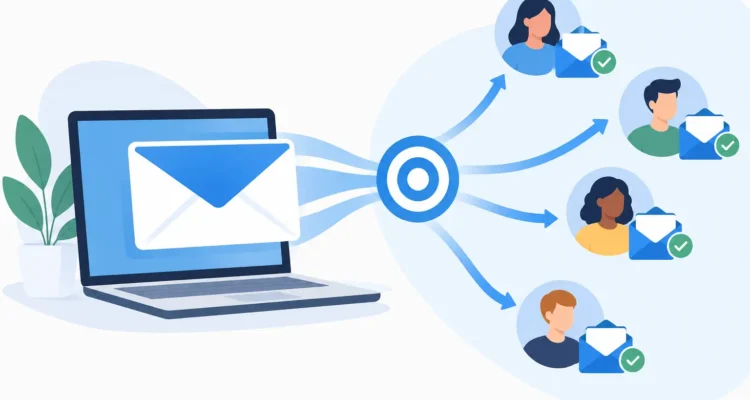
A bulk email campaign can reach thousands of people in minutes, but speed is only useful when the message reaches people who asked to receive it and gives them a reason to respond. For a small business, nonprofit, sales team, or public relations office, the real work happens before the Send button: maintaining a healthy contact list, preparing a message that works in every inbox, and setting a delivery pace your email server can handle.
Bulk email does not need an enterprise platform or a complicated workflow. It does require a repeatable process. When your contacts, message, sending settings, and reports are organized, each campaign becomes easier to manage and more useful to your recipients.
Start With a List You Can Trust
Your mailing list is the foundation of every campaign. A well-designed message cannot overcome invalid addresses, duplicate contacts, or recipients who never agreed to hear from you. Sending repeatedly to poor addresses can also damage your sending reputation, making legitimate messages more likely to be filtered later.
Begin with contacts collected through real business relationships: customer purchases, quote requests, event registrations, newsletter sign-ups, membership forms, or direct opt-ins. Keep a record of how each person joined your list. This makes it easier to honor expectations and answer questions about why someone received a message.
Before importing contacts into your mailing software, clean the file. Remove duplicates, correct obvious formatting errors, and separate addresses that should no longer receive mail. Email verification can identify addresses that are invalid or risky before a campaign begins. It will not guarantee delivery to every inbox, since mailbox status can change at any time, but it reduces avoidable bounces.
List cleaning is not a one-time project. Review inactive contacts and bounce reports after each campaign. If an address repeatedly fails, suppress it rather than trying again indefinitely. A smaller list of interested readers is usually more valuable than a large list that produces complaints and bounces.
Segment Bulk Email for Relevance
One message for everyone is sometimes appropriate, such as a holiday closing notice or a major company announcement. Most campaigns benefit from segmentation. A retail business may separate recent buyers from prospects. A nonprofit may tailor updates for volunteers, donors, and event attendees. A distributor may send different price lists to customers in different regions.
The goal is not to create dozens of tiny lists just because the software allows it. Use segments when the recipient, offer, timing, or call to action truly changes. Start with information you already maintain, such as location, customer type, purchase history, language preference, or sign-up source.
Personalization should follow the same principle. Adding a first name can make an email feel more direct, but only if the data is accurate. A greeting with a missing or incorrectly formatted name looks less professional than a simple “Hello.” Test your fields with a few sample contacts before sending to the full list.
Keep Your Data Fields Practical
Use clear field names that match how you work: First Name, Company, City, Account Manager, Renewal Date, or Product Interest. Avoid collecting information you will not use. Every extra field creates more maintenance work and more opportunities for outdated data.
For recurring communications, a reliable template with a few useful fields is often better than rebuilding a campaign from scratch. It saves time while preserving the personal details that help recipients recognize why the email matters to them.
Build a Message People Can Scan
Most recipients decide within seconds whether to read, save, or delete an email. Make the purpose clear early. Your subject line should describe the value of opening the message without making promises the content does not support. “September pricing update for wholesale customers” is more useful than a vague subject such as “Important information.”
The first lines should answer three questions: what is this message, why does it matter now, and what should the reader do next? A sale announcement might lead with the offer and deadline. A press release might lead with the news. A customer notice might lead with the change that affects the recipient.
HTML email gives you room for branding, images, buttons, and layout, but it should remain easy to read without them. Use a clear hierarchy, readable text, and enough white space. Keep key information as live text rather than placing it inside an image, because some email programs block images by default. Including a plain-text version is also a practical safeguard for recipients and mail clients that prefer it.
Before sending, preview the message carefully. Check subject lines, sender information, merge fields, links, image display, and the unsubscribe instructions. Send a test message to yourself and colleagues using different email providers if possible. A campaign that looks correct in one desktop app may wrap differently on a phone or in a webmail inbox.
Set a Sending Pace That Respects Your Server
A large campaign should not always leave your computer at maximum speed. Email providers and hosting servers often enforce hourly or daily sending limits. Exceeding them can produce temporary failures, delays, or account restrictions.
Set the sending rate according to your provider’s stated limits, then allow room for normal account activity. If your mail server permits 500 messages per hour, scheduling slightly below that level is safer than aiming exactly at the maximum. For very large lists, spread delivery over several hours or days. This approach is slower, but it is more stable and easier to monitor.
A desktop bulk email application gives you direct control over your message files, contact lists, mail server settings, and delivery schedule. With MaxBulk Mailer, you can prepare personalized HTML or text campaigns, set sending thresholds, and schedule delivery without handing your entire workflow to a complex marketing platform.
Choose a recognizable sender name and a real reply address. Recipients are more likely to trust mail from a business name they know, and replies can reveal useful questions or concerns. Do not use misleading sender details or subject lines to force an open. A short-term increase in opens is not worth the complaints and lost trust that follow.
Measure What Happened After Delivery
Sending is the beginning of campaign management, not the end. Delivery, bounce, open, and click information can show whether your list and message are working as expected. Use these results to make a specific improvement rather than changing everything at once.
A high bounce rate usually points to a list problem, an outdated import, or a server issue. Repeated hard bounces should be removed from future sends. A low open rate may mean the subject line is weak, the sending time is poorly matched to the audience, or recipients no longer recognize the sender. Low click activity can suggest that the offer is unclear or the action step is buried too far down the message.
Tracking data is helpful, but it has limits. Some privacy settings block open tracking, while security systems may scan links automatically and create clicks that were not made by a person. Treat reports as indicators, not perfect measurements. Combine them with real outcomes such as replies, inquiries, registrations, orders, or donations.
Improve One Variable at a Time
For regular newsletters and promotions, test small changes across comparable groups. Try two subject lines, different send times, or a shorter call to action. Keep the audience and main offer consistent so you can understand what influenced the result.
Do not judge every campaign by the same metric. A press release may be successful because journalists receive accurate information, even if open tracking is limited. A customer service notice may succeed because it reduces support calls. The right measure depends on why you sent the message in the first place.
Make Permission and Unsubscribing Easy
Responsible bulk email gives recipients control. Include a clear way to unsubscribe, process requests promptly, and do not add opted-out contacts back to a list without a new, explicit request. Keep suppression records so an address removed from one campaign does not accidentally return through a later import.
Commercial email rules can vary by recipient location and message type, so review the requirements that apply to your organization. At a practical level, use accurate sender details, identify your business, provide contact information, and respect opt-outs. These habits protect recipients and help protect the reputation of your domain and mail server.
The best bulk email programs become routine: clean the list, select the right segment, prepare a useful message, test it, control the sending rate, and learn from the response. When that routine is in place, every campaign feels less like a mass blast and more like a timely conversation with people who want to hear from you.