Answer: Hi Taiyzun,
Yes — MaxBulk Mailer allows you to send Cc and Bcc copies with your mailings.
How to show the Cc / Bcc fields
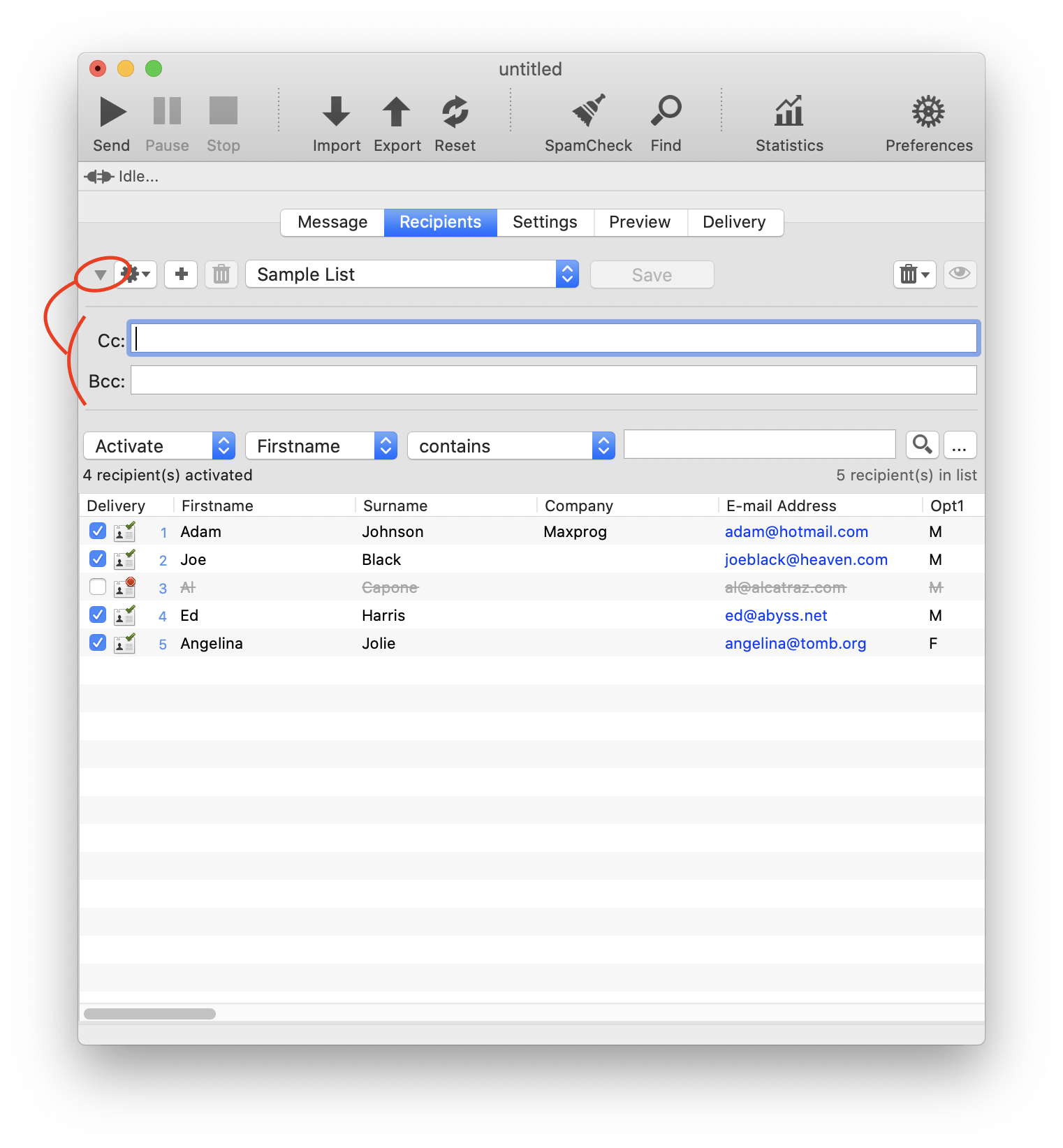
To reveal the Cc and Bcc fields panel, click the disclosure triangle located to the left of the list selector pull-down menu (see screenshot). The panel will expand and let you enter addresses.
You can enter one or several email addresses, separated by commas, in either field.
What’s the difference?
Cc — Carbon Copy
Addresses placed in the Cc field will receive a copy of every message you send. These addresses are visible to all recipients.
Bcc — Blind Carbon Copy
Addresses placed in the Bcc field will also receive a copy of every message you send, but they are hidden from all recipients.
This is useful if you want to:
• Keep a copy of all outgoing messages
• Send copies to a colleague or supervisor
• Archive sent mail automatically
Let us know if you need help setting this up.
Kind regards,
Stan
Maxprog Support |





