
Home Products Downloads News Store Support

Maxprog Logo  

Maxprog Support

Knowledge Base

Email editor and responsive emails

Topics

Question: Does the email editor include bootstrap code to make it responsive, or if not what is the best editor do you advise to use and paste HTML source code in the editor?

Thanks in advance, we have evaluated your product and it looks awesome we are looking forward to ordering it and putting it to work.

Answer: The best is to directly use responsive email templates. There are literally hundreds of them on the internet you can get for free. For example, you can get a few here: Responsive Email Templates. That particular site lets you copy the HTML code very easily right from the page, like for example Austin. Just select the HTML version on the right panel. Copy the code and paste it to MaxBulk Mailer.

It is explained in detail in this blog post and in this video:


We have plans to make things a bit easier in a future version of MaxBulk Mailer.
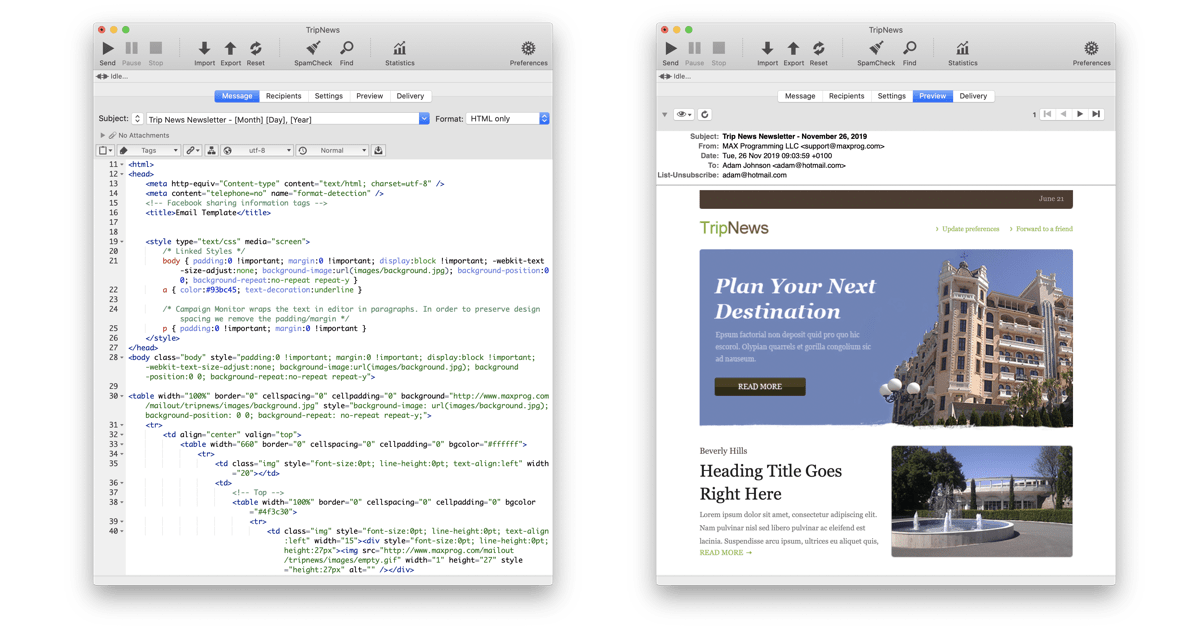
How to use free HTML email templates with MaxBulk Mailer

 Recent questions from our MaxBulk Mailer users

  Does MaxBulk Mailer supports List-Unsubscribe ? Screenshot
  Trouble with mlm setup, 'The URL is not valid' error. Screenshot
  Problem with importing recipients Screenshot
  451 Error code Screenshot
  Problem sending email to Gmail recipients Screenshot
  What is the meaning of the recipient panel icons Screenshot
  What is the best mail server I can use with MaxBulk Mailer Screenshot
  How can I export my lists to a new computer Screenshot
  How to send a HTML email Screenshot
  How to hide text in my message Screenshot
  Google ending support for less secure apps YouTube Video
  How to add social networks icons to my message Screenshot
  How do I set up an unsubscribe link Screenshot
  How to export several lists into to a single file Screenshot
  What are the Zoho mail settings for MaxBulk Mailer? Screenshot

 Last videos

🔐 Secured by Sectigo SSL | UptimeRobot - Site Loaded properly
