Home Products Downloads News Store Support

Maxprog Logo  

Maxprog Support

Knowledge Base

Where are the SMTP settings stored?

Topics

Question: Where are these settings stored on the Mac? I checked ~/Library/Application Support/Maxprog/MaxBulk Mailer but could not find any folder that stores these settings. If you can help that would be great.

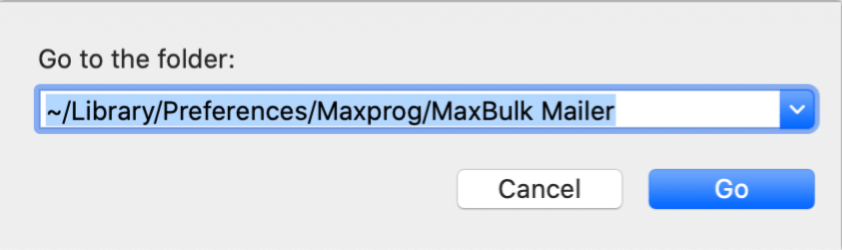
Answer: All the settings are stored in the ~/Library/Preferences/Maxprog/MaxBulk Mailer folder. You can access that folder using the 'Finder ⇒ Go ⇒ Go To Folder...' menu and then pasting the path:

Where are the SMTP settings stored?

You will see that there are 3 files there, one labeled 'Preferences' containing the application settings, another one labeled 'Accounts' containing the email account settings, and finally, one labeled 'Prefixes' that contains the prefixes you have defined for the message subject.

Note that if you are looking for doing backups or transferring settings it is much better to proceed this way: Settings backup and sharing between computers.

 Recent questions from our MaxBulk Mailer users

  How can I Cc and/or Bcc a message with MaxBulk Mailer? NEW YouTube Video
  How to extract Contacts from Outlook Mac (OLM File) NEW Screenshot
  Does MaxBulk Mailer supports List-Unsubscribe ? Screenshot
  Trouble with mlm setup, 'The URL is not valid' error. Screenshot
  Problem with importing recipients Screenshot
  451 Error code Screenshot
  Problem sending email to Gmail recipients Screenshot
  What is the meaning of the recipient panel icons Screenshot
  What is the best mail server I can use with MaxBulk Mailer Screenshot
  How can I export my lists to a new computer Screenshot
  How to send a HTML email Screenshot
  How to hide text in my message Screenshot
  Google ending support for less secure apps YouTube Video
  How to add social networks icons to my message Screenshot
  How do I set up an unsubscribe link Screenshot

 Last videos

🔐 Secured by Sectigo SSL | UptimeRobot - Site Loaded properly