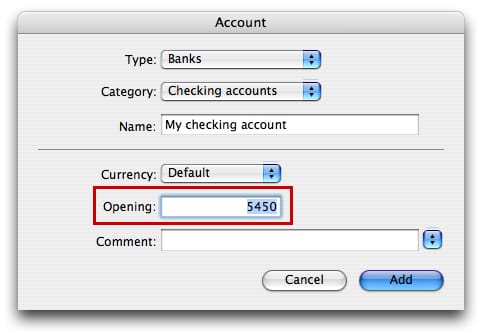
You can create an account with a starting balance two ways:
1.- Create the account with a starting balance using the 'Opening' field.
2.- Create the account with no starting balance and then enter an opening transaction. An opening transaction is made using a startup account. If you create a document with the 'Home' or 'Office' account set, iCash creates the 'Start-up capital' account automatically. Startup accounts are not taken into account when creating reports. An opening transaction using a Startup account looks like this:
| Day |
Type |
Origin Account |
Target account |
Amount |
|
| 18 |
Deposit |
My Startup account |
My checking account |
500.00 |





 Maxprog ® by Stan Busk - © 2001-2026 Maxprog LLC. All Rights reserved