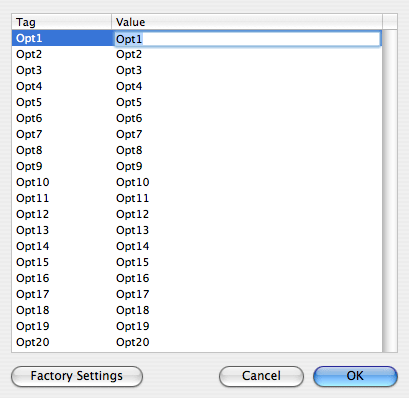
All tags or list columns can be renamed except the 'Email address' tag. Besides, MaxBulk Mailer Pro offers 20 custom columns you can use to store recipient's data and insert it into your message using Tags. Custom tags are labeled from Opt1 to Opt20 by default. You can rename them to something that will make more sense to you such as 'Address', 'State', 'Gender' or whatever.
If you need to rename the optional tags for the whole application use the 'Preferences...' menu. If you just need to rename them for the current document, use the 'Edit | Rename tags...' menu.
It is strongly recommended to use simple and short words with no accentuated characters nor punctuation.
You can also set tag data type between 'Text', 'Number', 'Date' and 'Boolean', affecting sorting and conditional statement results. All tags are of type 'Text' by default. If you set a tag data type to 'Number' you will be able to sort your list and use conditional statements with true numeric '>', '<' , ">=" and '<=' operators. The same applies to the 'Date' and 'Boolean' types however you have to make sure you set dates following your operating system date format (MM/DD/YYYY, DD/MM/YYYY....). A 'Boolean' field can accept only two values, you have the choice between using yes/no, True/False or 1/0.