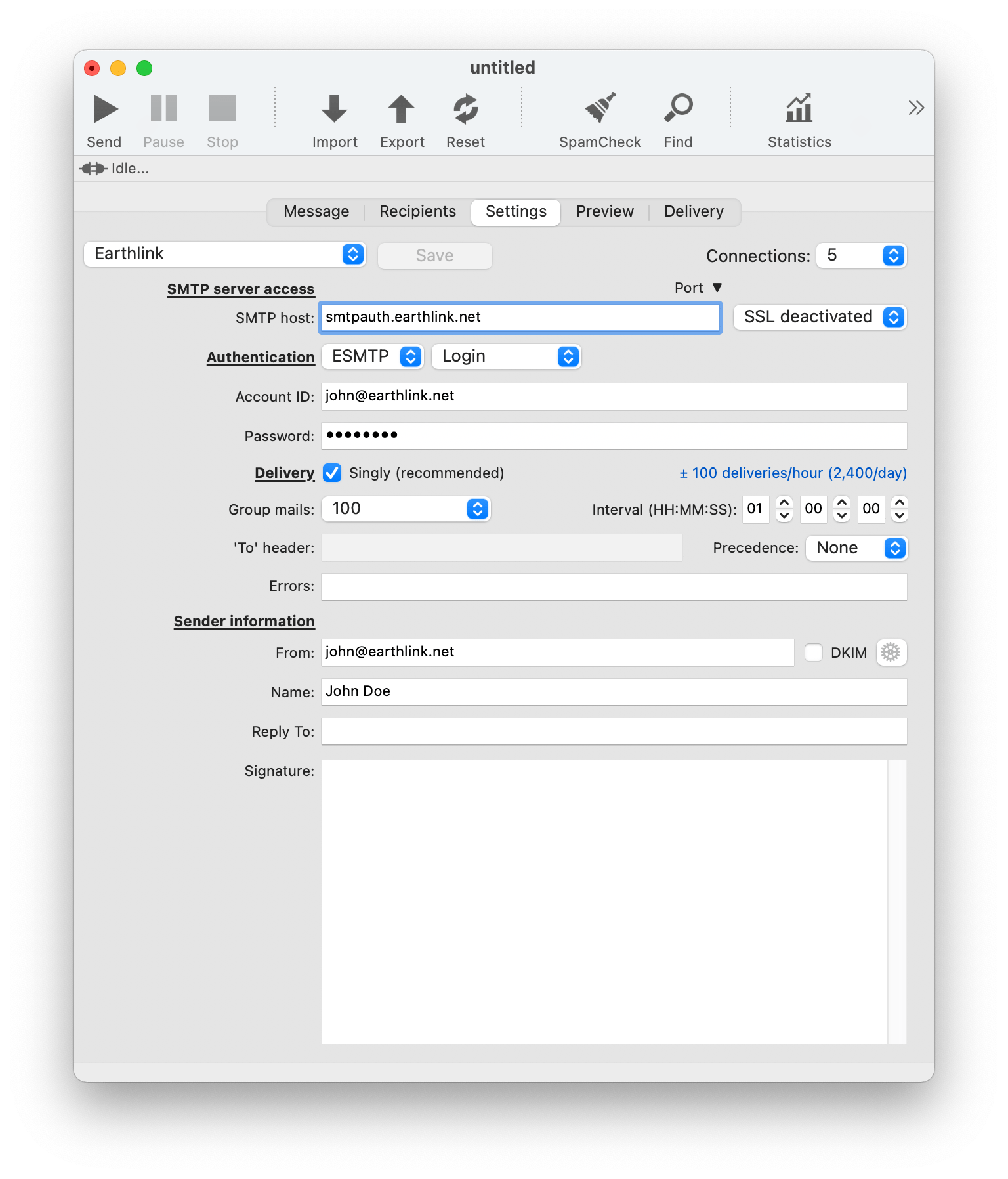
These are the Earthlink MaxBulk Mailer settings:
| SMTP server access |
|
SMTP Host |
smtpauth.earthlink.net |
|
Connections |
5 |
| Authentication |
|
Authentication |
ESMTP | Login |
|
Account ID |
<your_userID_here>@earthlink.net |
|
Password |
<your_earthlink_password> |
| Delivery |
|
Delivery |
Singly |
|
Group mails |
100 |
|
Interval |
01:00 |
| Sender information |
|
From |
<your_userID_here>@earthlink.com |
|
Name |
<your_display_name_here> |
Note that Earthlink may have a delivery limit per hour or per day.
As a precautionary measure to stop spam, many ISPs are no longer allowing outbound traffic on port 25. As a result, your ISP may have blocked port 25 on your account. Port 25 is the standard TCP port used to send e-mail via the SMTP protocol. Hopefully most SMTP servers offer their services through several ports. So, if MaxBulk Mailer can't connect to your server through default port 25 try to use port 587 or 2525. If the 'LOGIN' authentication scheme gives problems try 'PLAIN' from the second pull-down menu next to 'Authentication'.
Example:





 Maxprog ® by Stan Busk - © 2001-2026 Maxprog LLC. All Rights reserved