|
eMail Verifier Getting started - User GuideeMail Verifier |

|

|
| 2.- Getting started | |
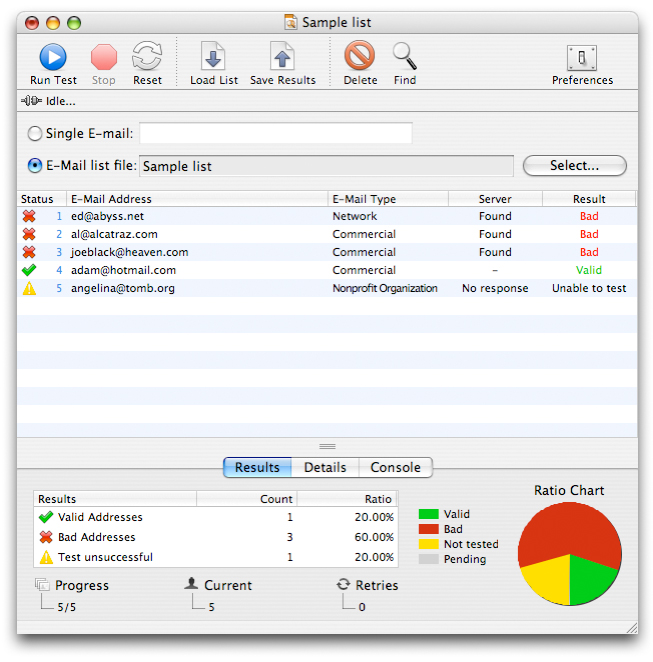
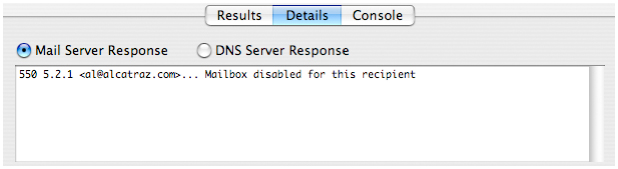
Launch eMail Verifier. An untitled document is created. This document is made of two parts, the list on the top and a tab panel with 3 panes at the bottom. As with any application, It is fully resizable, it can be saved and opened back, it can be printed and transfered between Mac OS and Windows.
The documents also includes a toolbar with 8 buttons on the top. Those buttons make the access to the most used functions easier.
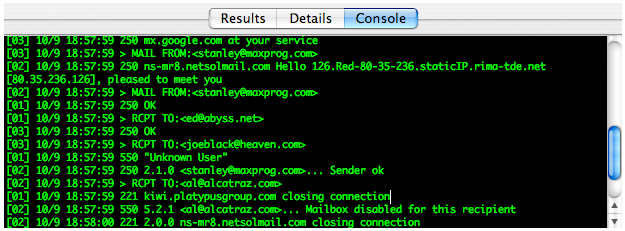
The third panel is the connection log. It allows you to see the exact communication between eMail Verifier and the server. Each line starts with the threaded connection number '[xx]', then the date and time followed by the command sent by eMail Verifier preceded with '>' or the server answer starting with a 3-digits response code. You don't actually need to understand the connection log to use the software. It is just here in case you care about it.
The document lets you select between two testing options, Single email and Email list file. Use the radio button to select the right option depending on your needs. Once you a re ready to verify your addresses, press the Run Test button.
|
|


Last videos |
|
Ask your questions here |
